Skip to content
HOMESERVA is the resident-facing community app for condo, gated and high-rise communities - built by VYROX INTERNATIONAL SDN BHD in Malaysia and powered by VYROX AI, the AI that specialises in business operation management together with IoT. It combines accounting and MyInvois e-invoicing, payments, bookings, membership, AIoT smart access, security operations, helpdesk, POS and reporting into one calm app with a friendly resident mobile experience. Communities, condos, clubhouses, gyms and mixed-use developments use HOMESERVA to collect fees, manage visitors with QR passes, unlock lobbies and lifts with face recognition, book facilities and run their guard house - all from one community app residents actually open.
favorite Friendly community living

One simple app for your whole community.

Whether you run a condo, a clubhouse, or a community - HOMESERVA keeps everyone happy. Pay fees from your phone. Book the BBQ pit. Pre-register Raya guests with a QR. Walk into the lobby with a smile (it unlocks with your face).

One platform replaces the spreadsheet, the separate booking app, the visitor logbook and the standalone access-control panel most communities juggle today - so residents get one login, and management gets one dashboard instead of four.

verified Free to explore. No credit card. We'll set it up with you.

  • receipt_long MyInvois (LHDN) ready
  • domain Multi-tenant SaaS
  • support_agent 24/7 WhatsApp support
  • lock Encrypted at rest
  • sensors AIoT-compatible
100+
Properties trust us
24/7
Always-on support
12+
Modules included
bolt Powered by VYROX AI· verified Built by VYROX· receipt_long MyInvois (LHDN) ready· apartment One app · residents, MC, security· support_agent 24/7 support·
Why residents love it

Made for the way you actually live at home.

In short: HOMESERVA collapses the four most-asked resident jobs - pay fees, walk in with your face, get parcel photos, send a visitor QR - into one calm app you actually want to open.
Soft illustration of sage-green light spreading like a tree canopy over small house forms, representing a connected community

Less paper. Less waiting at the guard house. Less awkward group-chat reminders. Just a calm app that handles the boring stuff so your community can enjoy the fun stuff.

payments

Pay fees in 10 seconds

FPX, card, e-wallet - straight from the app. Receipt auto-sent.

face

Walk in with your face

Lobby, lift, your floor. No card to fumble - your kids and parents will love it.

local_shipping

Parcel arrival photos

A real picture, real time. No more "did it actually arrive?" panic.

qr_code_2

Visitor QR for guests

Send a QR before they arrive. Guard scans, gate opens, you stay in your slippers.

Honest comparison

Why HOMESERVA over the alternatives.

In short: HOMESERVA beats WhatsApp-plus-spreadsheets and off-the-shelf community-app vendors on the ten things that genuinely matter - MyInvois compliance, automation, AIoT access, audit trail, and 24/7 humans.
Soft illustration of smooth sage contour ridges on warm cream, representing a calmer way to run a community

We're not asking you to take our word for it. Here's how HOMESERVA compares to WhatsApp-and-spreadsheets and to off-the-shelf community-app vendors you might already be using.

What you need verified HOMESERVA WhatsApp + spreadsheets Off-the-shelf community-app vendor
e-Invoice (MyInvois) compliance check_circle Built in, real-time validated cancel Manual upload, error-prone cancel Add-on or unsupported
Automation (automation + rule engine) check_circle Minute-level automation, configurable cancel Manual reminders cancel Limited to one domain
AIoT / access control check_circle Native: face, plate, RFID, lift cancel None cancel Vendor-locked
Multi-property management check_circle One operator, many properties cancel Separate files per property cancel Per-license, separate logins
Mobile app for residents/customers check_circle Friendly, branded per property cancel Not available cancel Often desktop-only
Real-time dashboards check_circle Live ops console cancel Static spreadsheets cancel Daily exports
Audit trail of every change check_circle Yes, time-stamped cancel Whoever last saved cancel Limited
Payment automation check_circle FPX, card, e-wallets via Xendit cancel Bank-in slips cancel Single gateway
Integrations (AutoCount middleware, MyInvois, Xendit, public REST API) check_circle All native cancel Manual re-entry cancel Pick one
Support response check_circle 24/7 WhatsApp · P1 in 1h cancel You email yourself cancel Email tickets, days

Not a perfect fit for every property - talk to Patrick and we'll tell you straight if HOMESERVA isn't right for yours.
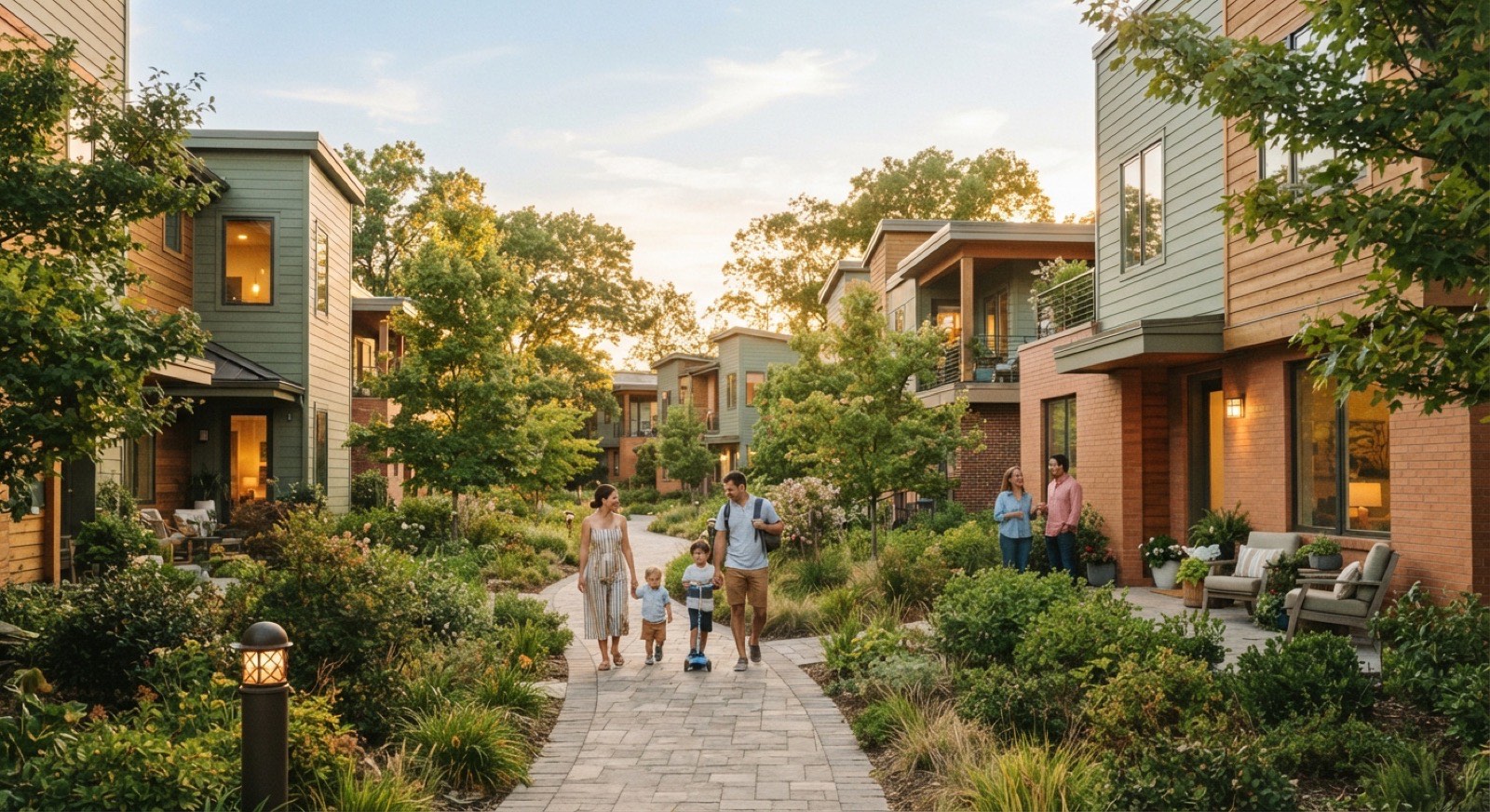
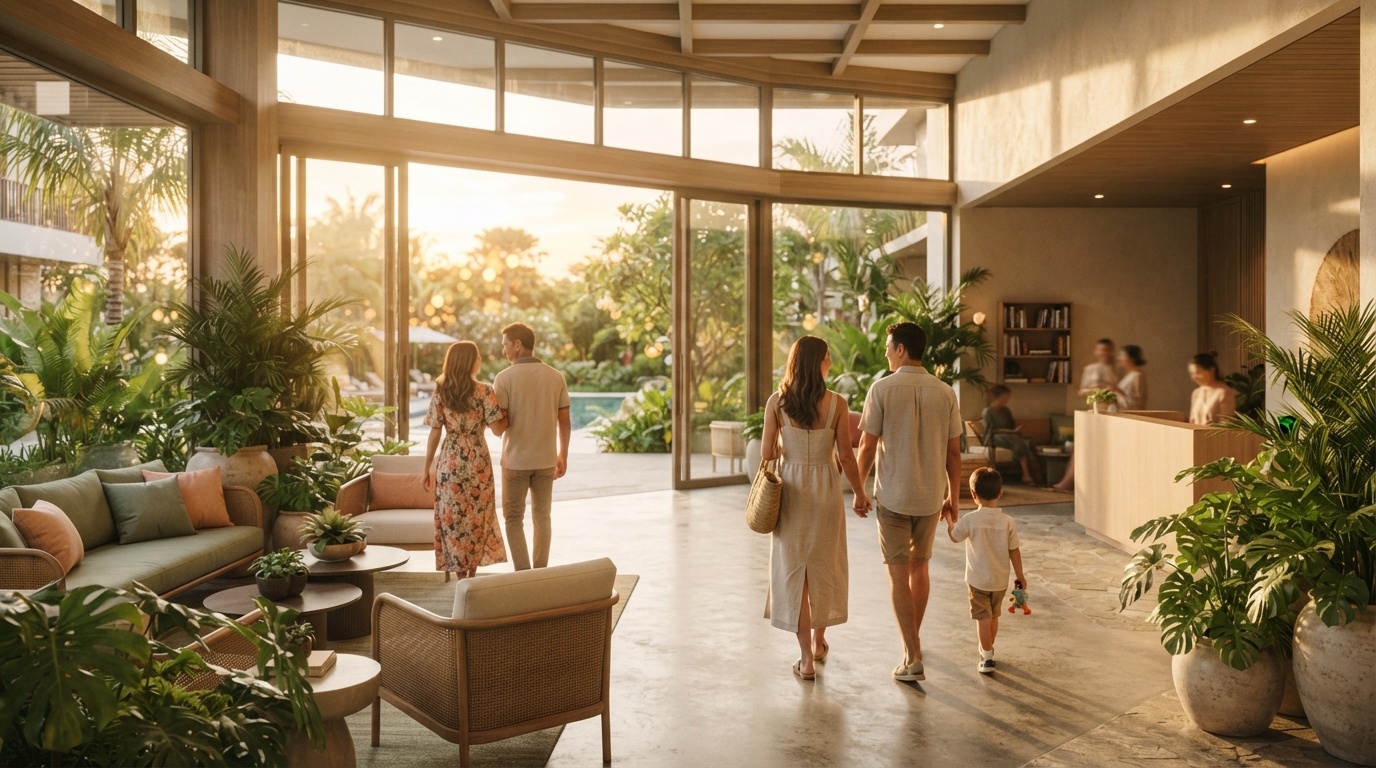
Families and neighbours walking along leafy paths through a warm modern residential community at golden hour
groups Your community

Everyone, under one friendly roof.

Residents, committee and guards on the same simple app - fees, bookings, visitors and chat, all in one happy place.

A look inside

See HOMESERVA in action.

In short: six honest-to-the-aesthetic peeks - the operations dashboard, a MyInvois-validated invoice, the resident mobile app, the access log, the booking grid and the AIoT health panel.

Six soft-cornered glimpses of the actual product, drawn in the same friendly palette as the rest of HOMESERVA.

Operations dashboard

Sidebar pillars, four cosy stat tiles and a soft trend curve - all calm, all yours.

MyInvois invoice

A sage-trimmed invoice with the green MyInvois Validated sticker right where the eye lands.

Mobile resident app

Three friendly cards: pay invoice, book BBQ pit, send a visitor QR. That is the whole app.

Access control log

Last eight swipes with little face circles, timestamps and a status sticker beside each one.

Booking grid

A week × hour calendar where free is sage, taken is peach and your slot is highlighted in cream.

AIoT health panel

Eight devices - cameras, lifts, locks, lighting - each with a calm online / syncing pill.

Your numbers, visualised

Your live community dashboard.

In short: the numbers your reports already produce - fees collected, bookings, visitors, open complaints and parcels waiting - on one calm screen. Tap a date preset and every figure, bar and ring re-scopes. It is a read-out of your own data, not a forecast.
Soft illustration of rounded translucent panels layered above a cream surface, representing one screen for the whole community

Interactive HOMESERVA community operations dashboard. It shows five live KPIs - fees collected as a percentage, bookings this week, visitors today, open complaints and parcels waiting - together with a seven-day bookings-by-day bar chart and a fees-collected donut. Date-preset buttons (Today, This week, This month, Last month) re-scope every number. The figures are computed by HOMESERVA's reporting from collections, bookings, visitor and complaint records.

savings
0
Fees collected
event_available
0
Bookings
groups
0
Visitors today
report_problem
0
Open complaints
inventory_2
0
Parcels waiting

Bookings by day

This week

Saturday is the peak - the BBQ pit and function room fill first. The utilisation report turns this into cut-off and deposit rules.

Fees collected

93% collected

The collection-rate ring drives your cashflow and sinking-fund view. Anything below target feeds the dunning cascade.

graphic_eq Live
  • payments Fee paid · Block A · Unit 12-3 · RM 564.50 · FPX
  • qr_code_2 Guest pre-registered · Aisha → 2 visitors · QR sent
  • outdoor_grill BBQ pit booked · Sat 7 PM · deposit held
  • inventory_2 Parcel arrived · Locker B-12 · resident notified
  • task_alt Complaint resolved · leaky tap · 4h 12m
  • face Face access · Lobby A · resident matched

A live activity ticker cycling through recent community events: a maintenance fee paid by FPX, a guest pre-registered with a QR pass, a BBQ pit booked, a parcel delivered to a locker, a complaint resolved, and a face-recognition access event at the lobby.

Happy families enjoying a community clubhouse and swimming pool on a sunny day surrounded by greenery
pool Book in seconds

The BBQ pit, booked from the sofa.

Pools, function rooms and courts on a live grid - fair slots, gentle deposits and instant receipts, so everyone gets a turn.

No more group-chat fights

Book the BBQ pit in two taps.

In short: a real, clickable week × hour grid for the clubhouse facilities. Tap free → held → confirmed; the slots already booked are locked. Overlap, cut-off and deposit rules are enforced for you.
Soft illustration of rounded honeycomb cells with a few glowing warm, representing facility slots being taken

Interactive clubhouse facility booking grid. Columns are the seven days of the week; rows are the hourly slots from 5 PM to 10 PM. Tap a free slot to tentatively hold it, tap again to confirm a booking, and tap once more to release it. Slots already taken by other residents are locked. The Saturday 8 PM and 9 PM slots and the Friday 7 PM slot are pre-booked.

Facility
Clubhouse BBQ Pit & Function Room
Free Held by you Booked
MonTueWedThuFriSatSun 5 PM 6 PM 7 PM 8 PM 9 PM 10 PM

Every confirmed slot writes an immutable change-history record, so a disputed booking is settled on evidence - not on who shouted loudest in the group chat. Public-holiday rules and per-resident monthly caps apply automatically.

The resident app, for real

Tap around the HOMESERVA app.

In short: a real, tappable phone with a working bottom-nav - Home, Pay, Book, Visitor, Parcel. Pay a fee and watch it clear; pick a BBQ slot; issue a guest QR; collect a parcel. Everything residents do, in one calm app.

Interactive mockup of the HOMESERVA resident mobile app. A phone frame shows five screens swapped by a bottom navigation bar with five buttons: Home, Pay, Book, Visitor and Parcel. The Home screen lists the current account balance of RM 286.00, an unpaid maintenance-fee invoice, a parcel waiting for pickup, and an upcoming BBQ booking. The Pay screen shows the maintenance-fee invoice for RM 286.00 with a choice of FPX, card or e-wallet payment and a Pay button that confirms with a Paid tick. The Book screen lets the resident pick a clubhouse facility time slot. The Visitor screen pre-registers a guest and shows a QR pass valid for a time window. The Parcel screen shows a parcel held in locker B-14 with a one-tap collect action. Illustrative data.

9:41wifibattery_full
Account balance
RM 286.00
Unit A-12-04 · Taman Sari Residences
Things to do
receipt_longMaintenance fee due RM 286.00
inventory_2Parcel in locker B-14 chevron_right
outdoor_grillBBQ · Sat 7 PM Confirmed

Five jobs, one thumb.

The same system your management office runs, invoicing, bookings, visitor passes and lockers, wrapped in an app residents actually open. Tap Pay and watch a fee clear. The receipt is emailed and the invoice is MyInvois ready.

  • touch_appWorking bottom-nav - keyboard-accessible tabs swap the inner screen, just like the live app.
  • paymentsPay in 10 seconds - FPX, card or e-wallet via Xendit, then a Paid ✓ confirmation.
  • verified_userOne household record - balances, bookings, passes and lockers all hang off the same account.

Illustrative data - your real numbers come from your own ledger.
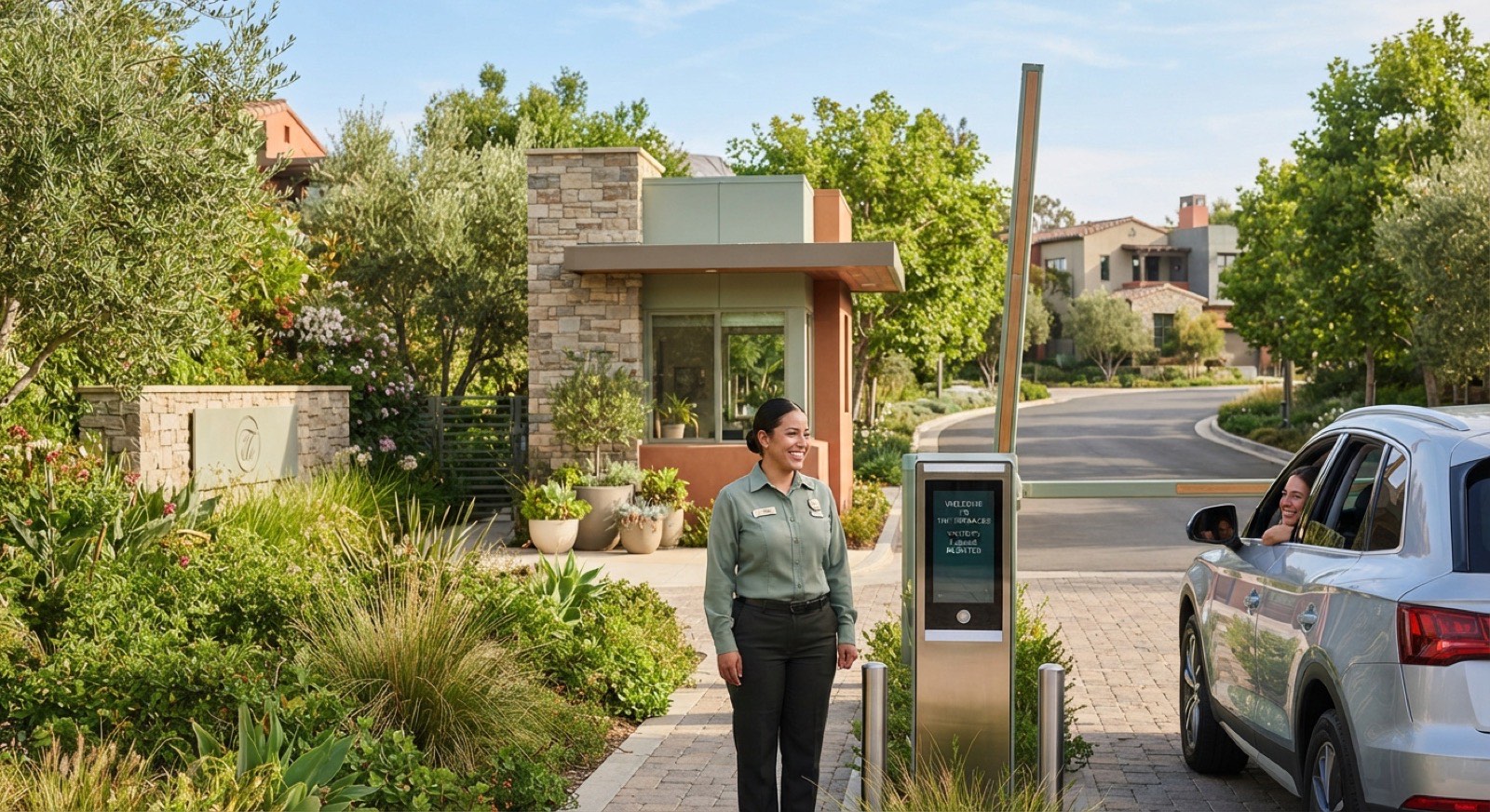
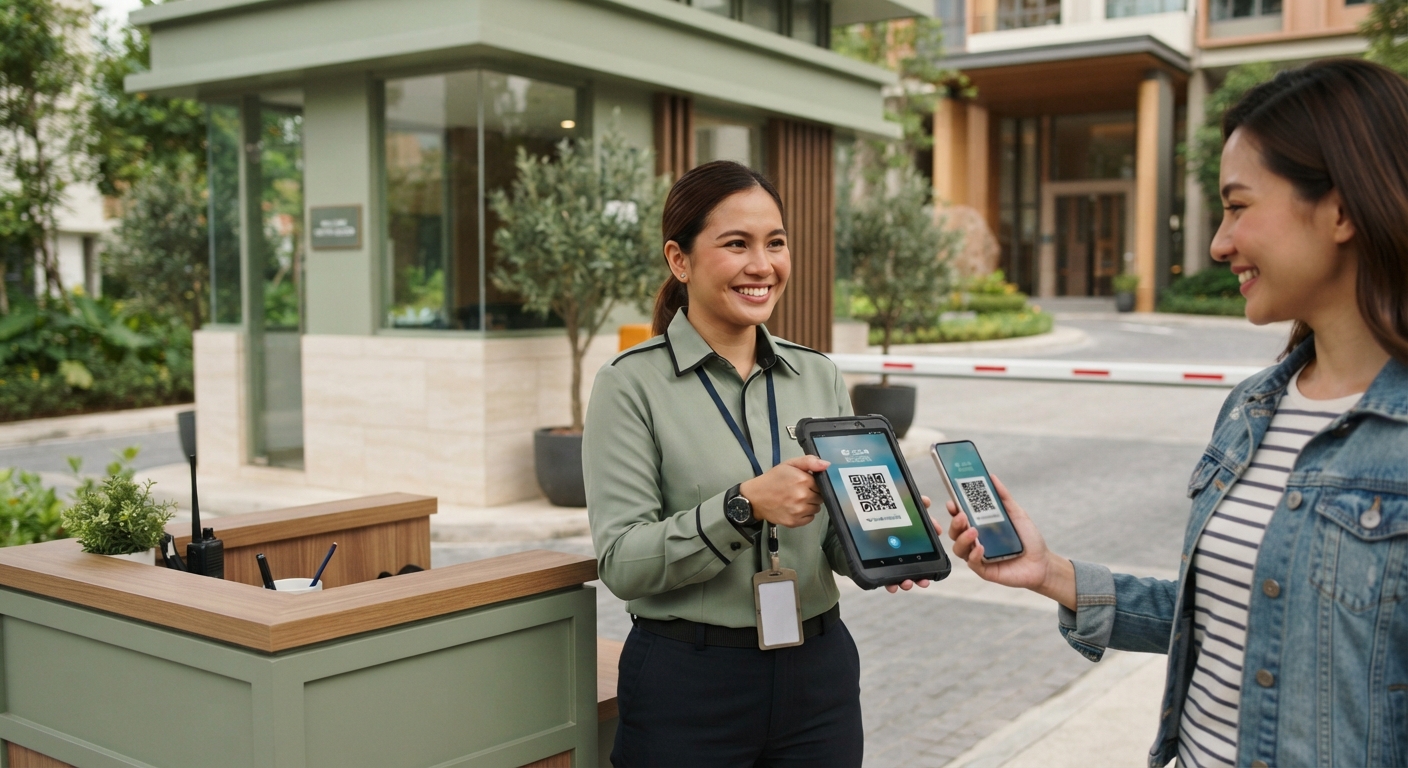
A smiling security guard at a friendly residential community guardhouse with a boom gate and visitor access panel on a sunny day
verified_user Safe & simple

Guests glide in. Strangers don’t.

Pre-register visitors with a QR, unlock the lobby with your face, and let the guardhouse see exactly who’s expected - every entry logged.

From sofa to gate

Watch a guest walk straight through.

In short: the whole visitor journey in four beats - you fill the guest's name and time, a QR pass is issued, the guard scans it, the boom gate lifts. It auto-plays; tap Replay to see it again.

Animated four-step visitor pre-registration flow. Step one: a resident fills in the guest name and arrival time window. Step two: a QR visitor pass is issued, valid for the chosen window with named access points. Step three: the guard scans the QR at the gate and the pass is verified. Step four: the boom gate lifts and the guest is admitted. The animation auto-advances and can be replayed.

Step 1 · Resident pre-registers
Aunty Siti
24 May · 6:00 PM
24 May · 11:00 PM
Each pass carries a hashed QR validated against its time window and access points - so a peak-day wave of guests still flows through the gate cleanly. Illustrative.
No more "did it arrive?"

Your parcel, in a smart locker.

In short: a courier drops your parcel, a locker lights up, you get a notification. Tap the glowing locker to open its door and collect - the locker frees itself for the next delivery.

Interactive parcel locker wall mockup. A grid of fifteen lockers, each labelled, shows their state: most are empty, some hold parcels for other residents. When a parcel arrives, locker B-14 pulses to signal it is waiting for you. Tapping the pulsing locker opens its door with an animation and a notification confirms you have collected your parcel from locker B-14; the locker then returns to empty for the next delivery.

Lobby parcel wall
Block B · Ground floor
inbox B-11
inventory_2 B-12
inbox B-13
inbox B-14
inbox B-15
inventory_2 B-21
inbox B-22
inbox B-23
inventory_2 B-24
inbox B-25
inbox B-31
inbox B-32
inventory_2 B-33
inbox B-34
inbox B-35
Couriers drop into a TCP-controlled locker; the resident gets an in-app notification with an arrival photo and a one-tap pickup code. Tap the glowing B-14 to collect - or press "Simulate a delivery" to watch a fresh parcel arrive. Illustrative.
notifications_activeParcel collected
Tax compliance, built in

Every invoice clears MyInvois for you.

In short: your tax compliance is built in. Each invoice is drafted, validated against MyInvois, submitted to LHDN, cleared with a UUID and QR, then paid - automatically, in the background, before it ever reaches the resident.
Soft illustration of paper-like sheets curving gently upward, representing an invoice clearing on its own

HOMESERVA e-invoice flow, five stages: Draft, MyInvois validate, Submit to LHDN, Cleared, and Paid. Each invoice is built as a UBL 2.1 JSON document, validated against the MyInvois portal, submitted to LHDN, and on clearance returns a UUID and QR before the resident pays. Walk-in residents without a tax identification number use the LHDN-prescribed the walk-in TIN. The connector runs in sandbox first, then production.

  1. Draft
  2. MyInvois validate
  3. Submit (LHDN)
  4. Cleared · UUID + QR
  5. Paid

Built as proper UBL 2.1

Each charge is built into the exact format LHDN asks for, with the line items, the tax, both tax numbers and the right industry code, then checked before it is issued. Nothing leaves the building until it passes.

Walk-in residents covered

A resident or guest without a tax number is billed using the official walk-in code, so a one-off facility charge or deposit still clears cleanly. We run it in test mode while you settle in, then switch it to live.

On a validation failure, the invoice waits in a "needs attention" queue with the exact LHDN message attached - you fix the data and resubmit in one click.
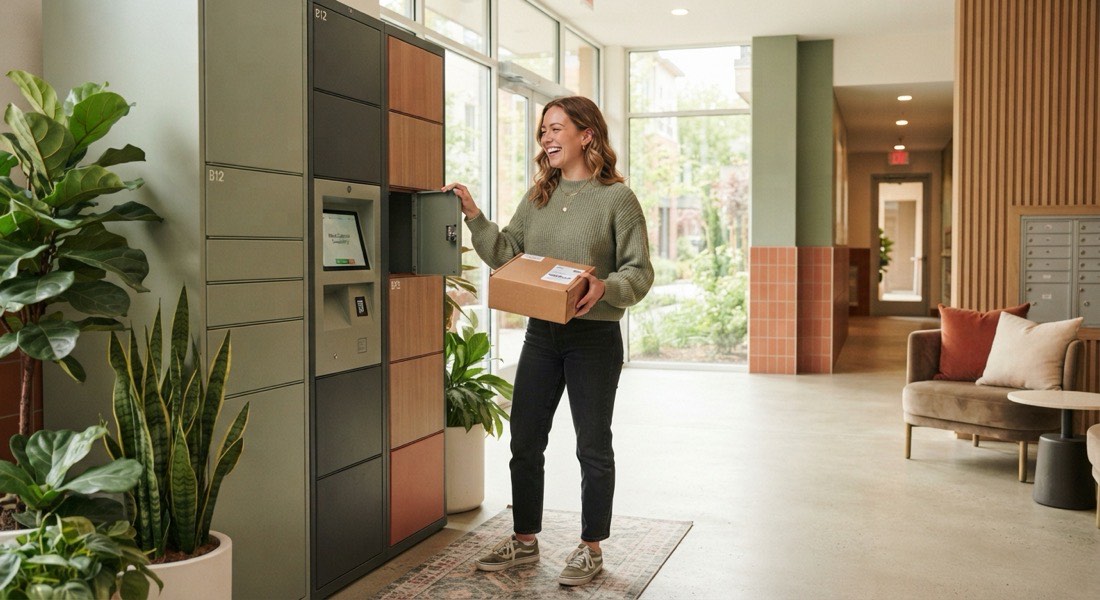

photo_library A day in the community
Resident collecting a parcel from a modern smart parcel locker in a bright residential lobby
Parcels, sorted
Photo on arrival, pick up when you’re ready.
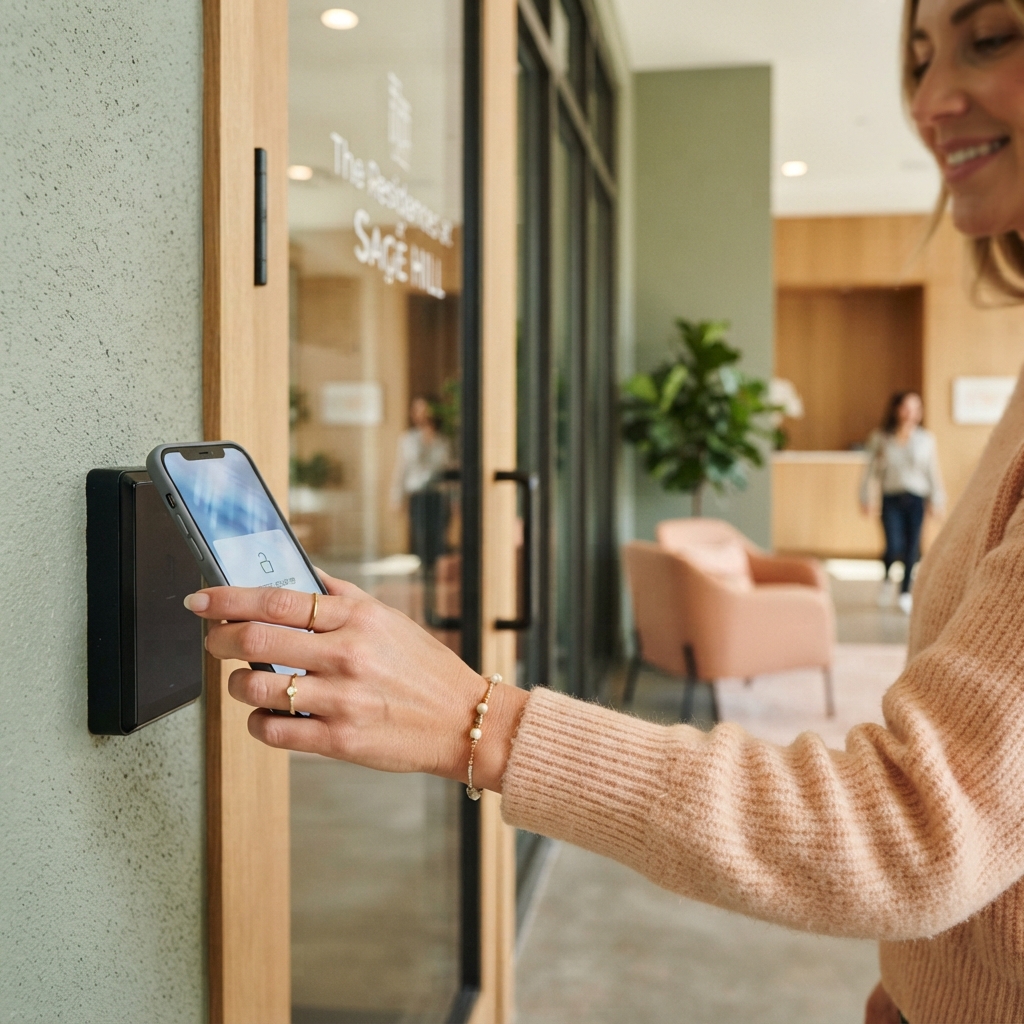
Smiling resident tapping a phone at a facial-recognition lobby door of a modern condo
Walk in with a smile
Your face is the key - no cards, no fumbling.
Neighbours of mixed ages gathering at a community event in a landscaped courtyard with string lights
A community that shows up
Notices, RSVPs and bookings that actually get read.
Multi-generational family gathered around a BBQ pit at a condo clubhouse in the evening
Book the BBQ pit
Reserve, pay and check the slot - all from the app.
Friendly security guard at a condo guardhouse checking a visitor QR code on a tablet
Guests, pre-approved
One QR scan at the gate - no logbook, no delay.
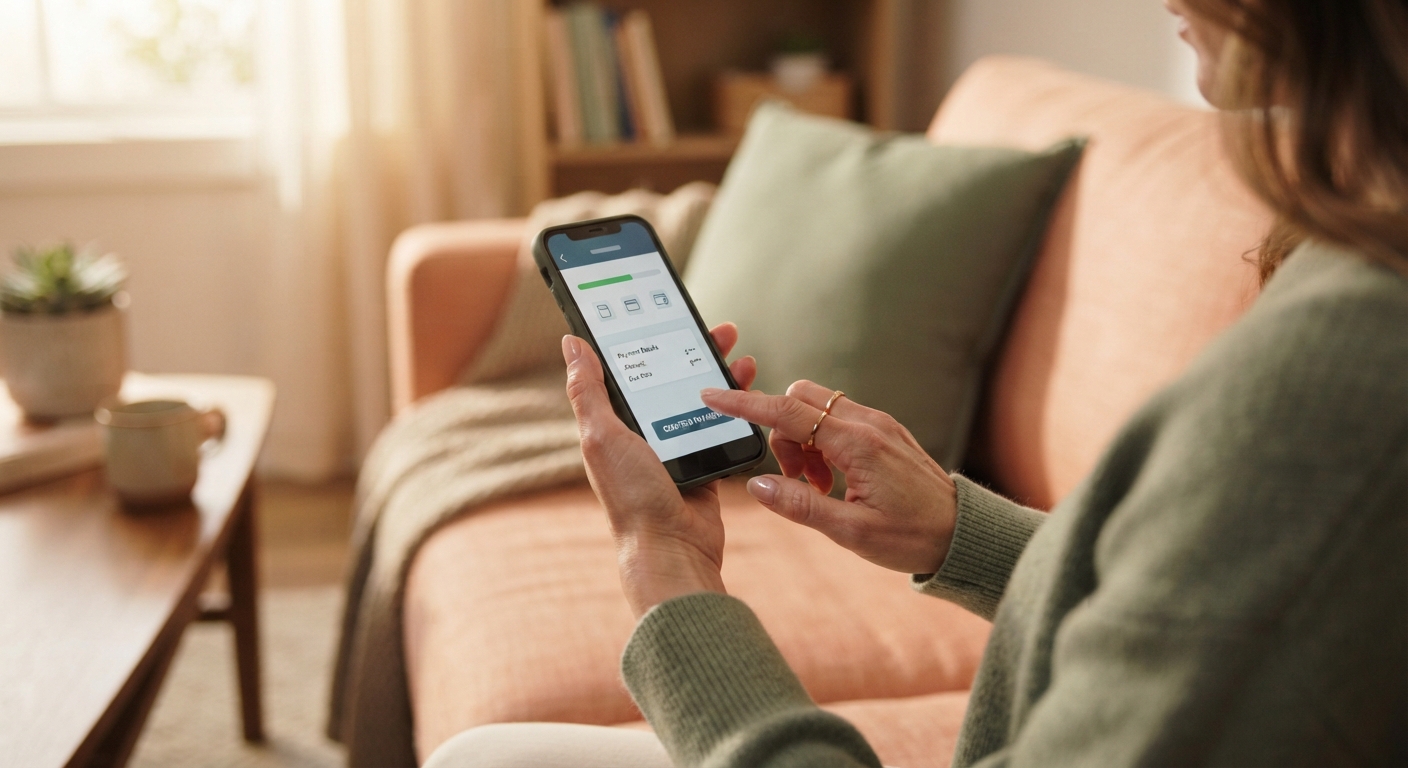
Resident paying a maintenance fee on a smartphone app while relaxing at home
Fees, from the sofa
Pay maintenance in seconds, no queue at the office.
Inside the HOMESERVA engine

Numbers that matter.

In short: six architectural constants you can verify in the codebase - invoice types, MyInvois format, auto-billable GL codes, RBAC privilege bits, device cipher and ops monitoring posture.
Soft illustration of seven rounded sage and terracotta blocks casting long gentle shadows, representing a week of community activity

Six code-verifiable facts about HOMESERVA - derivable from the source, not marketing telemetry.

receipt_long
27+
INVOICE_TYPES - Standard / rental / deposit / fire-safety / consolidated / CN / refund / termination
verified
UBL 2.1
MYINVOIS_FORMAT - LHDN preprod + live endpoints, walk-in TIN fallback, MSIC code list
payments
14
AUTO_BILLABLE_GLS - GL codes pre-wired to the auto-billing rule engine
shield
34+
RBAC_PRIVILEGES - Bit-set role capabilities enforced page-by-page
lock
SM4-32
DEVICE_CIPHER - Chinese national 32-round block cipher
monitoring
24/7
OPS_MONITORING - Best-effort availability, monitored continuously

Architectural constants from the HOMESERVA codebase - not per-property telemetry. Patrick will share specifics for your case.

For the JMB / MC committee

The whole community, on one calm screen.

In short: the committee dashboard rolls up collection rate, arrears aging, the complaint SLA queue, this week’s bookings, the announcement log and the sinking-fund balance - every figure computed by HOMESERVA reporting and exportable to the AGM pack.

Your chairman, treasurer and manager open the same board and stop arguing about which spreadsheet is right.

gavel Committee · Taman Sentosa MC calendar_today 01-MAY-2026 ~ 22-MAY-2026 (This Month) picture_as_pdf Export AGM pack
Fees collected · this month
93.4%
RM 184,200 of RM 197,300 billed
Sinking fund balance
RM 612k
72% of the 5-year lift-refurb target
Arrears aging
RM 13,100 outstanding
BucketUnitsAmountNext action
Current-RM 5,840On track
1-30 days9RM 3,420Reminder sent
31-60 days4RM 2,4602nd letter
60+ days2RM 1,3803rd letter
Complaints · SLA
  • Open 12
  • Within SLA 10
  • Breaching 2
  • 83% resolved within target
Bookings · this week
34 confirmed
  • BBQ pit · 11 · Function room · 8
  • Courts · 12 · Kids room · 3
Announcements
  • campaign Water tank cleaning · 412 read
  • campaign AGM notice · 388 read
Management-committee dashboard mockup for a JMB / MC: fees-collected rate 93.4% with a billed-versus-collected meter, sinking-fund balance against a five-year lift-refurbishment target, an arrears aging table split into current, 1-30, 31-60 and 60+ day buckets each with its dunning next-action, a complaints SLA panel (open, within-SLA, breaching), this week's bookings by facility, and an announcement read-receipt log. Exportable to a PDF AGM pack. Figures are illustrative of HOMESERVA's SQL-aggregation reporting, not a forecast.
The actual management console

The screen your office team actually works in.

In short: this is a faithful re-creation of the real HOMESERVA staff console - the same left sidebar, the same Visitors list with its exact columns, the same footer toolbar with PDF / Excel / Print and a live “Things to Do” panel. Re-skinned warm, but true to the software your guard house and office run all day.

Pick a date range, scan the gate log, export to your committee - all in one calm place.

Visitors
add New Visitor Pass
No.Checked-InVisitor Pass No.Visiting PropertyVisitorMobile No.Vehicle Plate No.Valid UntilChecked By
122-May-2026 6:12 PMVP-2026-04418A-12-04Lim Wei Sheng+60 12-345 6789WXY 884222-May-2026 11:00 PMGuard Rosli
222-May-2026 5:48 PMVP-2026-04417B-08-11Nurul Ain binti Hassan+60 13-882 1190No Vehicle22-May-2026 9:00 PMGuard Rosli
322-May-2026 3:30 PMVP-2026-04415C-03-02CoolAir Aircond (contractor)+60 16-771 4023VBA 120922-May-2026 6:00 PMGuard Devan
422-May-2026 1:05 PMVP-2026-04412A-05-09Tan Mei Ling+60 17-204 9981PKL 557022-May-2026 5:00 PMGuard Devan
522-May-2026 12:40 PMVP-2026-04410D-15-03GrabFood courier+60 11-2098 3344JKL 778122-May-2026 1:10 PMGuard Rosli
622-May-2026 11:18 AMVP-2026-04408B-21-07Siti & family (4)+60 19-660 2215WWA 332022-May-2026 4:00 PMGuard Meena
722-May-2026 10:02 AMVP-2026-04405A-18-02Pos Laju despatch+60 12-908 6677No Vehicle22-May-2026 10:30 AMGuard Meena
822-May-2026 8:55 AMVP-2026-04401C-09-12Raj Kumar+60 14-339 5512BNN 104222-May-2026 12:00 PMGuard Meena
picture_as_pdf grid_on print settings Showing 1 to 8 of 26 visitors chevron_right
Faithful re-creation of the real HOMESERVA staff console showing the Visitors list. A left sidebar carries the real staff navigation - Operation Insights, Security Monitor, Visitors (active), Customer Accounts, Cash Book, General Ledger, Reports and Suppliers, plus admin items - with red count badges that hide at zero. The top bar shows the page title Visitors, a centre date-range pill reading 22-May-2026 to 22-May-2026 (This Month) and a peach New Visitor Pass action. The table uses the real Visitors column order: No., Checked-In, Visitor Pass No., Visiting Property, Visitor, Mobile No., Vehicle Plate No., Valid Until and Checked By, seeded with eight residents, contractors and couriers across units like A-12-04, with Malaysian +60 mobiles and vehicle plates or No Vehicle. A footer toolbar offers PDF, Excel, Print and Settings, shows Showing 1 to 8 of 26 visitors, and previous / next paging. Figures are illustrative of HOMESERVA's SQL-based reporting and PDF / Excel export, not a forecast.

checklist Things to Do

Auto-hides any task that reads zero - just like the real dashboard.

how_to_reg5 pre-registered visitor(s) ready for check-inView
login8 visitor(s) checked inView
running_with_errors2 visitor(s) overstayedView
inventory_23 smart locker deliver(ies) pending for pick-upView
support_agent4 complaint(s) in progressView
event_available2 facility booking(s) pending for management approvalView
sos0 emergency SOS in progressView

Each row mirrors the real dashboard’s phrasing and only appears when its count is above zero - so the office sees exactly what still needs a hand today.

receipt_long Resident fees

Every fee a household owes, on one tidy statement.

Maintenance, sinking fund, water, booking deposits - the invoice list HOMESERVA keeps for each home, with filter tabs for what is paid, unpaid or overdue. Click a row's filter to narrow the list right here.

A re-skinned faithful recreation of the management software invoice list for one resident. Filter pills above the table read All, Unpaid, Paid, Overdue and Outstanding. The table columns are a leading blank cell, No., Issued On, Due Date, Document No., Invoice item, Payable, Paid and Balance (the three money columns right-aligned), then a row actions cell. Nine seeded rows cover Maintenance Charge, Sinking Fund, Water Charge, Facility Booking Deposit and Late Payment Interest, with a footer reading Showing 1 to 9 of 9 invoices and PDF, Excel, Print and Settings export buttons.
Invoices · A-12-04
No.Issued OnDue DateDocument No. InvoicePayablePaidBalance
101-May-202615-May-2026INV-00041Maintenance ChargeMay 2026 · RM 0.33/sq ft320.00320.000.00
201-May-202615-May-2026INV-00042Sinking FundMay 2026 · statutory 10%32.0032.000.00
301-May-202615-May-2026INV-00043Water ChargeApr read · 14 m³41.200.0041.20
403-May-202610-May-2026INV-00051Facility Booking DepositFunction Hall · 17-May150.00150.000.00
501-Apr-202615-Apr-2026INV-00029Maintenance ChargeApr 2026 · carried forward320.000.00320.00
616-Apr-202630-Apr-2026INV-00037Late Payment Interest1.5% on overdue balance4.800.004.80
701-May-202615-May-2026INV-00044Water Chargepart-paid · balance left38.6020.0018.60
802-Apr-202616-Apr-2026INV-00031Sinking FundApr 2026 · statutory 10%32.0032.000.00
905-May-202619-May-2026INV-00057Facility Booking DepositBBQ Pit · 24-May80.000.0080.00
Showing 1 to 9 of 9 invoices

Balance is computed as Payable minus Paid - the same SQL aggregation the software runs for every statement. Paid in green, money owing in your alert tone. Powered by VYROX AI.

groups Residents

Know every household at a warm glance.

The members register your committee already keeps - who joined, which plan, days remaining, deposit and fee - laid out the same way the software lists it, just dressed in HOMESERVA colours.

A re-skinned faithful recreation of the members list. Columns in order are No., First Joined, Customer Account ID, Membership ID, Member, Subscribed Membership Plan, Days Remaining, Deposit, Membership Fee, Start Date, Expiry Date, then a row actions cell. Six seeded resident households are shown across plans such as Resident Standard, Resident Premium and Tenant, with a footer reading Showing 1 to 6 of 6 members and PDF, Excel, Print and Settings buttons.
Members
No.First JoinedCustomer Account IDMembership IDMember Subscribed Membership PlanDays RemainingDeposit Membership FeeStart DateExpiry Date
112-Jan-2024CA-100412MB-0412Lim Wei ShengA-12-04Resident Standard235320.00120.0013-Jan-202612-Jan-2027
203-Mar-2023CA-100388MB-0388Nurul AinaB-08-11Resident Premium12500.00240.0004-Mar-202603-Mar-2027
321-Sep-2022CA-100201MB-0201Tan Mei LingC-03-02Resident Standard312320.00120.0022-Sep-202521-Sep-2026
407-Jul-2025CA-100590MB-0590Rajesh KumarA-05-09 · tenantTenant47650.000.0008-Jul-202507-Jul-2026
515-Nov-2024CA-100503MB-0503Goh Jia HuiD-14-07Resident Premium178500.00240.0016-Nov-202515-Nov-2026
629-Feb-2024CA-100456MB-0456Faridah HassanB-02-03Resident Standard283320.00120.0001-Mar-202628-Feb-2027
Showing 1 to 6 of 6 members

Days Remaining counts down to expiry so renewals never sneak up - the platform can nudge a reminder seven days before. Powered by VYROX AI.

A resident relaxing at home on a sofa using the community app on a smartphone in warm natural light
phone_iphone In your pocket

Your whole home life, in one app.

Pay fees, track parcels, raise a complaint, read the noticeboard and call for help - all from the sofa, all in a few taps.

forum Helpdesk

Every complaint, tracked from raised to resolved.

The same complaints & suggestions list your committee already works, with the real filter tabs - Pending Acknowledgement, Processing and Resolved - an outstanding-days counter, and the little neighbour Like widget so popular issues float to the top.

A re-skinned faithful recreation of the complaints list. Filter tabs read Pending Acknowledgement with a count of four, Processing, and Resolved. Columns in order are No., Submitted, Unit, Complainant, Category, Title, Outstanding days, a neighbour Like widget, and a per-row action. Seeded rows show statuses New, Processing and Completed, with an Acknowledge button on new rows and a Resolved button on processing rows. A footer reads Showing the matching complaints with PDF, Excel and Print export. Clicking a filter tab narrows the rows; clicking Like toggles the count; clicking Acknowledge or Resolved advances that row.
Complaints
add New Complaint
No.SubmittedUnitComplainantCategoryTitleOutstanding (Day)Neighbours
120-May-2026A-12-04Lim Wei ShengPlumbingLobby tap drippingNew2
219-May-2026C-03-02Tan Mei LingLiftBlock C lift jerkyNew3
319-May-2026B-08-11Nurul AinaCleanlinessRubbish chute smell L8New2
418-May-2026D-14-07Goh Jia HuiLightingCar park L2 lamp outNew4
516-May-2026A-05-09Rajesh KumarSecurityGate barrier slow at peakProcessing2
615-May-2026B-02-03Faridah HassanFacilitiesGym treadmill #2 faultProcessing1
710-May-2026C-09-05Wong Kah MengPlumbingPool pump leakCompleted0task_alt Resolved
808-May-2026A-03-12Siti AishahNoiseRenovation past hoursCompleted0task_alt Resolved
Showing 1 to 4 of 4 complaints

Status maps to the real labels New, Processing and Completed; Acknowledge moves a new complaint into Processing, Resolved closes it - every step lands in the audit trail. Powered by VYROX AI.

sos Emergency

When seconds matter, the guardhouse already knows.

A resident taps SOS and picks the help they need - Security Guard, Ambulance, Police or Fire Fighter. The guard sees it instantly, Acknowledges, then marks Completed, with the response time captured for the record.

A re-skinned faithful recreation of the emergency SOS panel. On the left, four SOS request types are shown as cards: Security Guard, Ambulance, Police and Fire Fighter. On the right, a live alerts list shows two pending alerts and one completed alert; each pending alert shows the property number, the resident, the emergency types as tags, and an Acknowledge button which becomes a Completed button, then a completed tick, with a response time. Buttons advance the alert state. Illustrative data only.
Emergency SOS
add New SOS
SOS types a resident can raise
local_police
Security Guard
Patrol & on-site response
emergency
Ambulance
Medical emergency
shield
Police
Crime / intrusion
local_fire_department
Fire Fighter
Fire & smoke
Pending Acknowledgement Processing Completed
Live alerts
emergency
B-08-11 · Nurul Aina
Raised 22-May-2026 2:14 AM
AmbulanceSecurity Guard
-
local_fire_department
A-12-04 · Lim Wei Sheng
Raised 21-May-2026 9:47 PM
Fire Fighter
-
shield
C-03-02 · Tan Mei Ling
Raised 20-May-2026 11:30 PM · Acknowledged by Guard Rosli
Police
task_alt Completed Response 3m 12s

The flow is the real one: status 0 shows Acknowledge, status 1 shows Completed, and response time is measured from raised to attended - the dashboard also counts SOS in progress. Powered by VYROX AI.

At the guard house

One console for the whole gate.

In short: the security guard PWA puts the visitor queue, the live access feed, patrol-round logging and resident-triggered SOS alerts on one screen - every entry tied back to the same audit trail the committee sees.

Scan a QR, wave a patrol checkpoint, acknowledge an SOS - without juggling four apps and a paper book.

badge Visitor queueqr_code_scanner Scan QR
VisitorHost unitValid windowStatus
Lim & family (4)A-12-0422-MAY 18:00-23:00QR validated
GrabFood courierB-08-1122-MAY 19:10-19:40At gate
Aircond contractorC-03-0222-MAY 09:00-12:00Permit check
Unknown vehicle WXY-1234--Hold · verify
Guardhouse visitor-queue mockup: a pre-registered family with a validated QR pass, a food courier at the gate, a contractor pending service-permit check, and an unrecognised vehicle held for verification - each row showing host unit, valid time window and status, mirroring HOMESERVA's visitor_pass and visitors_type rules.
sos SOS alerts

No active emergencies.

Last: 19-MAY · lift B intercom · acknowledged 38s · resolved
Live access feed
  • Granted Face · Aisha · Lobby
  • Granted Plate WXY-88 · Boom gate
  • Lift Floor 12 · entitlement OK
  • Visitor QR scanned · A-12-04
Patrol log · tonight
  • Block A roof 21:02 ✓
  • Pool deck 21:18 ✓
  • Carpark B2 due 21:45
The community noticeboard

Everything residents need to know, in one feed.

In short: announcements with read receipts, upcoming community events, and a neighbourly marketplace teaser - so the WhatsApp group can finally calm down.

Management posts once; residents see it in the app, and the committee sees exactly how many actually read it.

Announcements
  • water_drop

    Scheduled water-tank cleaning · Sat 24 May, 9am-1pm

    Supply to Blocks A & B will pause briefly. Please store water in advance.

    done_all 412 of 540 households read
  • description

    Notice of Annual General Meeting · 14 June

    Agenda, last year’s minutes and the audited accounts are attached in Files.

    done_all 388 of 540 households read
  • celebration

    Hari Raya open house · clubhouse · 31 May

    RSVP in the events tab - 96 neighbours already going.

    done_all 301 of 540 households read
Community noticeboard mockup: three announcements - water-tank cleaning, AGM notice and a Hari Raya open house - each with a read-receipt count showing how many of 540 households have opened it, illustrating HOMESERVA's announcements module with read tracking.
Upcoming events
  • outdoor_grill BBQ night · 24 May
  • self_improvement Sunrise yoga · 26 May
  • recycling Recycle drive · 30 May
Neighbour marketplace

Stroller (lightly used) · Home-baked kuih orders · Tuition for SPM Add-Maths.

storefront Resident-to-resident
Powered by VYROX AI

Ask your community a plain question.

In short: VYROX AI surfaces and automates the reports you already have - late payers, this week’s bookings, open complaints. It reads your real operational data with SQL aggregation; it does not predict the future or run machine-learning models inside the platform.
Soft illustration of concentric ripples spreading across a warm cream surface, representing asking a plain question and getting an answer

Tap a question. The answer is built straight from the numbers your reports compute - honest, friendly, and exportable.

smart_toy 2 units are 60+ days overdue, RM 1,380 total.
UnitDaysBalanceCascade
D-05-0974RM 7603rd letter sent
D-11-0363RM 6203rd letter sent

Source: arrears aging buckets + dunning cascade log. Export to PDF for the committee.

VYROX AI is the AI that specialises in business operation management together with IoT. Here it reads and automates the operational reports HOMESERVA already produces - it is operational intelligence over your real data, not a predictive model.

Set it once, sleep well

The rules that run while you sleep.

In short: a automation-driven rules engine - fee auto-billing on the 1st, the dunning cascade at −7 / day-1 / 31 / 61, monthly management-account & sinking-fund generation, amenity auto-stop and expired-booking cleanup. Toggle each rule; the schedule is honest and code-grounded.

No machine learning, no magic - just dependable scheduled jobs you can switch on and off.

Automation timeline · what runs when
schedule automation · minute / hourly / monthly
1st of month

Auto-billing

Active

Generates management-fee, sinking-fund and rental invoices in batch, then submits each to MyInvois.

the maintenance-fee run · the sinking-fund run · the rental-invoice run
−7 days

Pre-due reminder

Active

Friendly nudge fires 7 days before the invoice due date so residents pay on time.

the reminder engine
Day 1 overdue

1st dunning letter

Active

First overdue letter the day after a missed due date.

the reminder engine
Day 31 / 61

2nd & 3rd letters

Active

Escalating letters at day 31 and day 61 - the committee only handles the residual exceptions.

the reminder engine
30 days pre-expiry

Membership auto-renew

Active

Renewal invoice drafts ~30 days before a paid plan lapses.

The renewal process
Every minute

Amenity auto-stop

Active

Time-limited amenities (laundry, BBQ) stop and bill automatically when the window ends.

the scheduler
Every minute

Expired-booking cleanup

Paused

Unpaid or lapsed bookings are auto-cancelled so the calendar frees up.

the scheduler
Periodic

Device heartbeat

Active

AIoT devices are pinged for uptime; intrusion-photo files are purged on a schedule.

the device-health monitor

Intelligent-automation panel: a automation rules timeline listing fee auto-billing on the 1st, a pre-due reminder seven days before, dunning letters on day 1, 31 and 61, membership auto-renewal 30 days before expiry, amenity auto-stop and expired-booking cleanup every minute, and periodic device-heartbeat and intrusion-photo cleanup - each toggleable, each grounded in a named HOMESERVA automation file. These are scheduled jobs, not machine-learning predictions.
A day in the life

How HOMESERVA handles a real day.

In short: three everyday moments - month-end close, the festive parcel rush, and a 2am incident - shown as the screens and steps HOMESERVA actually runs, so you can picture it before you switch.
Soft illustration of an open doorway of sage pillars with warm light spilling through, representing a guest walking straight in
event_repeat Automation run · 01-JUN 00:05
00:05maintenance-fee run & sinking-fund run draft this month’s management-account and sinking-fund invoices in batch.
00:06Each invoice is built as UBL 2.1 JSON and validated against MyInvois - failures drop into a needs-attention queue.
00:07our email service sends every household the PDF with an FPX / e-wallet payment link.
07-dayDunning fires: reminder 7 days before due, letters on day 1, 31 and 61 - only the residual exceptions reach the committee.
What you see the next morning
  • check_circle 312 invoices drafted, 308 MyInvois-validated
  • error_outline 4 in the needs-attention queue (TIN typo)
  • mail 312 PDF + payment links emailed
  • savings Sinking fund posted to the GL automatically

HOMESERVA day-in-the-life playbooks: a tabbed walkthrough of three real scenarios. Month-end close - the scheduler run drafts management-account and sinking-fund invoices, validates them against MyInvois, emails PDFs with FPX/e-wallet links, and runs the dunning cascade. Festive parcel rush - a courier drops a parcel into a smart locker, the resident receives a tap-to-open notification and one-time QR, collects it, and any uncollected parcel is flagged as an overstay. A 2am incident - a resident SOS reaches the guard PWA, the access feed shows the matching face, plate and lift events for the timestamp, the guard logs a patrol round and closes the incident, and every step is written to the audit trail. All steps are grounded in real platform behaviour, not a forecast.

One queue for every sign-off

Approvals, all in one place.

In short: move-ins, payment proofs and booking requests land in one queue - Approve or Reject, and the decision posts to the ledger or booking record and into the audit trail. The committee reviews only the exceptions.
Soft illustration of soft rounded cards stacked in receding depth, representing approvals waiting in one place

Try it - tap Approve or Reject on any row below.

fact_check Pending approvals pending_actions 4 pending
how_to_reg
Move-in - new tenant
A-08-03 · Nurul binti Hashim · lease + IC uploaded
the platform
receipt
Payment proof
B-12-01 · RM 720.00 · bank-in slip uploaded
payment verification
event_available
Facility booking
Function room · 14-JUN 18:00-22:00 · deposit paid
facility booking
edit_calendar
Booking change request
BBQ-2 · move 10:00→16:00 · same day
the platform

HOMESERVA unified approvals queue: four pending sign-offs - a new-tenant move-in for unit A-08-03 with lease and IC uploaded, a payment proof of RM 720.00 for B-12-01, a function-room booking request with deposit paid, and a BBQ booking-change request. Each row offers Approve and Reject actions; the decision posts to the ledger or booking record and is written to the audit trail, so the committee reviews only the exceptions rather than every transaction.
Every. Single. Toggle.

Every feature in HOMESERVA.

In short: the full menu - all 39 customer-facing toggles a property can switch on. Tap each sticker to read what it does.
Soft illustration of small rounded house forms grouped together and linked by faint light, representing every household on the platform

Pulled straight from the feature settings → feature settings - no marketing fluff.

receipt_long
01/39 toggle

Invoicing

Standard, consolidated, rental, fire and deposit invoices - every line tagged for MyInvois.

water_drop
02/39 toggle

Utility Billing

Water and electricity meter reads turned into resident-friendly bills automatically.

groups
03/39 toggle

Visitors

QR pre-registration, photo upload, blacklist / whitelist and live boom-gate scans.

event_available
04/39 toggle

Facility Bookings

BBQ pits, courts, function rooms, kids rooms - one calendar everyone can see.

sports_golf
05/39 toggle

Golf Bookings

Tee-time bookings with member rules and cart / caddy add-ons.

how_to_reg
06/39 toggle

Participant Check-Ins

Class, tournament and event sign-in with QR and member-ID lookup.

campaign
07/39 toggle

Announcements

Property-wide notices that residents see in the app, with read receipts.

lightbulb
08/39 toggle

Suggestions

Residents send tidy ideas; management triages without losing the email.

mail
09/39 toggle

Internal Mails

In-app messages between staff, owners, tenants and committee members.

report_problem
10/39 toggle

Complaints

Photo-attached complaints with full lifecycle, escalations and SLA tracking.

warning
11/39 toggle

Incident Reports

Time-stamped incident logs tied to camera and access events.

build
12/39 toggle

Defect Reports

Snag and defect reports for new handovers and ongoing repairs.

account_balance
13/39 toggle

Management Accounts

Sinking-fund, maintenance-fee, GL and cashflow accounts in one ledger.

description
14/39 toggle

Meeting Minutes

Committee meeting minutes stored, searchable, with follow-up actions.

contact_phone
15/39 toggle

Emergency Numbers

One-tap directory of guard, plumber, lift, fire and committee contacts.

sos
16/39 toggle

Emergency SOS Requests

Resident-triggered SOS with location, routed to the right responder.

supervised_user_circle
17/39 toggle

Sub-Users

Spouse, kids, helpers and tenants under one household account.

credit_card
18/39 toggle

Card Access

MIFARE-compatible RFID smart cards with type-based door entitlements.

face
19/39 toggle

Face Recognition Access

SmartFACE biometric entry with PDPA-aligned consent and retention.

directions_car
20/39 toggle

Vehicle Plate Recognition Access

SmartVE LPR / ANPR for boom-gate and parking auto-entry.

engineering
21/39 toggle

Contractor Service Permits

Pre-approved contractor passes with date, scope and access window.

confirmation_number
22/39 toggle

Tickets

Multi-tier ticketing with routing, priority, and resolution metrics.

storefront
23/39 toggle

POSERVA

Built-in point of sale for café, sundry shop or clubhouse F&B.

shopping_basket
24/39 toggle

Community Marketplace

Resident-to-resident and merchant-to-resident marketplace.

support_agent
25/39 toggle

Concierge Services

Curated concierge catalog - laundry pickup, dry cleaning, errands.

handyman
26/39 toggle

TukangMan

One-tap handyman link-out for ad-hoc home repairs.

local_laundry_service
27/39 toggle

Self-Service Laundry

Amenity QR check-in, timer and billing for shared laundry rooms.

card_membership
28/39 toggle

Memberships

Paid plans (gym, pool, lounge) with renewal automation.

assignment
29/39 toggle

Tenancy Agreements

In-force / not-in-force agreements with auto-generated rentals.

key
30/39 toggle

Tenant Accounts

Tenant-specific logins, statements and access entitlements.

gavel
31/39 toggle

Management Committee

MC / JMB committee structure with roles and Sub-MC support.

inventory_2
32/39 toggle

Delivery Lockers

TCP-controlled parcel lockers - courier check-in, resident pickup notice.

ev_station
33/39 toggle

EV Charging Parking Lots

EV bay billing with deposit and session APIs.

inventory
34/39 toggle

Lost and Found

Photo-tagged lost-and-found register with claim workflow.

qr_code_2
35/39 toggle

Property QR Code

One QR per property - links to payment, info and quick actions.

support
36/39 toggle

Help Desk

Resident helpdesk that ladders into ticketing and concierge.

hub
37/39 toggle

Integrated Smart Access

SmartINTE - intercom + access in one panel, brand-agnostic.

folder
38/39 toggle

Files

Per-property document store - policies, AGM packs, contracts.

school
39/39 toggle

Classes

Yoga, fitness and kids classes with passes and coach scheduling.

Each toggle maps 1:1 to a row in feature - flip it on per property, leave the rest off. You only pay for what you turn on.

Everything in one app

12 friendly pillars. All in your pocket.

In short: twelve modular pillars - accounting, payments, bookings, RFID + PDPA-aligned face access, helpdesk, POS, automation - all in one cosy app, with sub-features that quietly handle JMB / MC realities.
Soft illustration of an upright rounded rectangle glowing gently on a cream surface, representing the resident app in your pocket

HOMESERVA is the one app your community actually uses - residents pay fees, book BBQ, pre-register guests, unlock with face. Security and management see the other side of the same screen. Tap a card to peek inside.

receipt_long 01

Accounting & e-Invoice

Bills, receipts and MyInvois - sorted, neatly.

Show what's inside expand_more

Bookkeeping for a community is a quiet headache - receipts pile up, invoices get re-typed, and MyInvois adds a new compliance layer on top. HOMESERVA ties every charge, payment and tax line back to a single ledger so your accounts always reconcile. You stop chasing numbers and start trusting them.

Key benefits
  • favorite Every invoice is MyInvois-ready out of the box
  • favorite One source of truth for your GL - no more parallel spreadsheets
  • favorite Auto-reconciles bank statements so month-end takes minutes, not days
Real-world example

"Capability: the scheduler run drafts each invoice in batch, the e-Invoice engine submits the UBL 2.1 JSON to MyInvois, and our email service sends the PDF with a payment link - while transactions and acc_bal post the GL entry in one pass."

What's inside
  • check_circle Standard / consolidated / rental / fire / deposit invoices
  • check_circle Utility billing (water & electricity meter reads)
  • check_circle Credit notes, voids & refunds
  • check_circle Customer & GL statements
  • check_circle MyInvois (LHDN) e-invoice - UBL 2.1 JSON, walk-in TIN fallback, MSIC code list
  • check_circle SST / GST consumption tax setup
  • check_circle Cash book & general ledger
  • check_circle Bank reconciliation
  • check_circle Invoice adjustments & free-form GL adjustments
  • check_circle Sinking-fund & maintenance-fee auto-generation
  • check_circle Late-payment interest advice
  • check_circle Invoice & payment QR
  • check_circle External public-link payment
payments 02

Payments & Collections

Auto-billing that just works. Late nights cancelled.

Show what's inside expand_more

Late payers, manual reminders, and reconciling a hundred bank-in slips eat your evenings. HOMESERVA turns collections into a calm, automated rhythm - bills go out on schedule, residents pay in seconds, and reconciliation is automatic. You get paid faster without nagging anyone.

Key benefits
  • favorite Residents pay by FPX, card or e-wallet straight from the app
  • favorite Auto-charge plans handle recurring fees while you sleep
  • favorite Failed payments retry and escalate themselves with friendly reminders
Real-world example

"Capability: the auto-billing engine attempts the configured payment method on the schedule held in the billing schedule per account, retries failures, and emails dunning reminders through our email service. The JMB committee chases only the residual exceptions - not the whole book."

What's inside
  • check_circle Auto-billing engine
  • check_circle Auto-payment scheduling
  • check_circle Online customer payment portal
  • check_circle Xendit gateway: FPX, credit / debit card, Direct Debit
  • check_circle E-wallets via Xendit: Touch 'n Go, Boost, GrabPay, ShopeePay, DuitNow QR
  • check_circle Razer/FiUU sandbox integration available
  • check_circle Card / bank-account auto-charge
  • check_circle Payment verification workflow (manual proof upload + approval)
  • check_circle Receipts (single & batch)
  • check_circle Customer advances & deposits
  • check_circle BA / CC / GA transaction charges
  • check_circle Interest advice & late-payment automation
  • check_circle Withdrawals (rental-collection payouts to landlords)
  • check_circle Bank-statement reconciliation
  • check_circle External public-link payment
  • check_circle In-app payment success / failure callbacks
event_available 03

Bookings & Reservations

BBQ pits, courts, function rooms - no double-booking drama.

Show what's inside expand_more

Every community has the same fight: who booked the BBQ pit first. HOMESERVA replaces group-chat arguments with a calendar everyone can see. Residents book in seconds, rules enforce themselves, and management keeps a clean audit trail.

Key benefits
  • favorite Real-time availability across every facility
  • favorite Booking rules (cut-off, deposit, max-per-month) enforce themselves
  • favorite QR confirmation at the door means no front-desk arguments
Real-world example

"Capability: every court and BBQ pit shows real-time availability; the booking status lifecycle blocks overlaps, enforces cut-off and deposit rules, and writes an immutable change-history audit so disputes resolve on evidence rather than memory."

What's inside
  • check_circle Facility & court calendar (BBQ pits, courts, function rooms, kids rooms)
  • check_circle Golf tee-time bookings with cart / caddy add-ons
  • check_circle Class & coach bookings
  • check_circle Class passes & memberships
  • check_circle Common-area reservations
  • check_circle Recurring & bulk bookings
  • check_circle Court-change & refund flow
  • check_circle Booking cart
  • check_circle Participant check-ins (events, classes, tournaments)
  • check_circle Booking approvals / refunds / rejects
  • check_circle Change-history audit
  • check_circle Cut-off-time enforcement
  • check_circle Public-holiday rules
  • check_circle Deposit & max-per-month rules
  • check_circle QR booking confirmation
  • check_circle Facility utilisation reports
badge 04

Membership & Customer

Residents, tenants, owners - one tidy household record.

Show what's inside expand_more

Owners change. Tenants come and go. Pets, cars and family members shuffle around. HOMESERVA keeps every household record up to date with self-service that still respects approval workflows. You always know who actually lives where.

Key benefits
  • favorite Households can update their own info - with optional management approval
  • favorite Sub-accounts for spouses, kids, helpers and tenants
  • favorite Document and photo uploads for IC, lease and vehicle ownership
Real-world example

"Capability: the customer master (accounts), sub-accounts, tenancy agreements and access entitlements (smartfaces / smartcards) all share one account_id. When a tenant changes, the built-in modules update the household record; the new tenant onboards; face IDs and cards re-bind without any manual key-handover."

What's inside
  • check_circle Customer master & sub-accounts (spouse, kids, helpers, tenants)
  • check_circle Owner / tenant / committee roles
  • check_circle Tenancy proposals → agreements (in-force / not-in-force)
  • check_circle Customer dashboard & info pages
  • check_circle Self-service info changes (with optional management approval)
  • check_circle Document & photo upload (IC, lease, vehicle)
  • check_circle Contract change tracking
  • check_circle Membership Plans (admin-level, separate from per-project memberships)
  • check_circle Memberships (paid gym / pool / lounge plans) with renewal automation
  • check_circle Management Committee structure & roles
  • check_circle Sub-Management-Committee (Sub-MC)
  • check_circle Bulk owner CSV import
  • check_circle Payment verifications
  • check_circle First-time login flow + guides
  • check_circle Forgot password / reset / signup
fingerprint 05

Smart Access & AIoT

Face, plate, intercom, lift - all chatting nicely.

Show what's inside expand_more

Cards get lost. Intercoms get ignored. And every brand of camera or controller comes with its own app. HOMESERVA speaks them all - face, RFID, plate, intercom, lift, parking lock - through one calm dashboard. Residents stop fumbling, security stops juggling tabs.

Key benefits
  • favorite Brand-agnostic: works with cameras, readers and controllers you already own
  • favorite SmartFACE, SmartVE, SmartINTE handle face, plate and intercom together
  • favorite Health checks tell you when a device misbehaves before residents notice
Real-world example

"Capability: SmartFACE biometric recognises the resident at the lobby; the lift controller is gated on per-floor entitlement; SmartINTE and auto-lighting react on the same access event. No physical card needs to be issued - entitlements live on the account, not the plastic."

What's inside
  • check_circle MIFARE-compatible RFID smart cards (with type-based door entitlements)
  • check_circle SmartFACE biometric recognition
  • check_circle SmartVE vehicle / plate recognition (LPR / ANPR)
  • check_circle SmartINTE smart intercom + integrated smart access
  • check_circle Lift access control (per-floor entitlement)
  • check_circle Smart parking-lock control + wheel-clamp module
  • check_circle Smart mirrors with secure access code access requests
  • check_circle Smart lighting automation
  • check_circle Power monitoring
  • check_circle Generic IP cameras (HTTP snapshot + event ingest, cgi-bin style)
  • check_circle Parcel & event camera capture
  • check_circle Intrusion-detection server feed
  • check_circle Delivery lockers
  • check_circle QR access readers, QR keys, QR check-in / out
  • check_circle IoT health checks & device heartbeat probes
  • check_circle Card-swipe audit & access log
  • check_circle SM4 cipher for device-protocol encryption
apartment 06

Property & Facility Setup

Units, blocks, lockers, EV bays - pick a layout, done.

Show what's inside expand_more

Every property has a different shape - towers, gardens, lockers, EV bays, retail lots. HOMESERVA models all of it without forcing you into a template. You set up once, and every other module (billing, access, bookings) inherits the structure for free.

Key benefits
  • favorite Flexible model: blocks, floors, units, parking, lockers, amenities
  • favorite QR codes for every asset, area and feature
  • favorite Rates and fees attach directly to your property structure
Real-world example

"Capability: your blocks, floors, units, parking, lockers and amenities are modelled once. Every other part of the system, billing, access, bookings and visitors, then inherits that structure, so nothing is keyed in twice."

What's inside
  • check_circle Units, blocks, floors, zones
  • check_circle Common areas & facility types
  • check_circle Parking bays & parking-lot types
  • check_circle EV charging bays with deposit + session API
  • check_circle Visitor parking, reserved parking, paid parking
  • check_circle Smart parking-lock device control + wheel-clamp module
  • check_circle Delivery lockers + locker QR
  • check_circle Amenities + amenity QR + amenity records
  • check_circle Self-service laundry rooms
  • check_circle Property features master + property QR
  • check_circle Public-holiday calendar
  • check_circle Rates, fees & charges definitions
  • check_circle Revenue / profit definitions
  • check_circle Rental types
qr_code_2 07

Visitors & Guests

Send a QR. Guest scans. Done. (No queues at the boom gate.)

Show what's inside expand_more

The guard house is the first impression of your community - and the most painful bottleneck. HOMESERVA pre-registers your guest before they arrive, sends them a QR pass, and lets the gate scan them through in seconds. You stay in your slippers.

Key benefits
  • favorite Pre-registered guests fly through the gate
  • favorite Multi-level approval for contractors, deliveries and tradespeople
  • favorite Live visitor board lets security see who is on-site right now
Real-world example

"Capability: residents bulk pre-register guests from the customer app; each pass carries a hashed QR that the guard scans on arrival. Visitor type rules carry grace-period, capacity (`oc`), lift override (`oc_lift`) and bulk-booking (`isbulk`) flags - so peak-day waves of guests still flow through the gate cleanly."

What's inside
  • check_circle Visitor registration & visitor types
  • check_circle Document & vehicle photo upload
  • check_circle QR visitor pass (with time-window validation)
  • check_circle Multi-level approval workflow
  • check_circle Visitor parking pass with QR
  • check_circle Contractor service permits with date / scope / window
  • check_circle Resident pre-registration
  • check_circle Live visitor dashboard
  • check_circle Most-visited & repeat-visitor analytics
  • check_circle Blacklist / whitelist enforcement
  • check_circle Visitor pass change history
shield 08

Security Operations

Calm, ready, watching - exactly how good security should feel.

Show what's inside expand_more

Good security feels invisible until it's needed. HOMESERVA gives your guard house a calm command surface - every entry, every camera feed, every incident logged and time-stamped. When something happens, you have evidence; when nothing happens, you have peace.

Key benefits
  • favorite Live monitor of access, visitors and patrol routes
  • favorite Incident reports tied to camera clips and access logs
  • favorite Emergency SOS routes alerts to the right responders
Real-world example

"Capability: the security monitor correlates SmartFACE access events, lift access logs, IP-camera receive logs and the intrusion-server feed against a single timeline - so an incident review opens with all four streams aligned, not four separate apps."

What's inside
  • check_circle Live security monitor with badge counts (intrusion, photo, digital)
  • check_circle Security mobile app (guard PWA)
  • check_circle Swipe & access log audit (card / face / plate)
  • check_circle Incident reporting with camera & access tie-in
  • check_circle Emergency SOS (resident-triggered, routed to responder)
  • check_circle Emergency phone-number directory
  • check_circle Defect reports (snag list for handovers & repairs)
  • check_circle Patrol routes & guard rounds
  • check_circle System logs (audit log audit table)
  • check_circle Blacklist / whitelist management
  • check_circle IP camera receive log
  • check_circle Intrusion-server feed
  • check_circle SM4 cipher for device-protocol encryption
support_agent 09

Concierge & Helpdesk

Lost slipper? Leaky tap? Log it, track it, smile.

Show what's inside expand_more

Maintenance issues used to mean a phone call, a notebook, and a hope. HOMESERVA turns every complaint into a tracked ticket with photos, timestamps and a clear next step. Residents see progress, contractors see priorities, and management finally has metrics.

Key benefits
  • favorite Residents log issues with photos straight from the app
  • favorite Tickets route to the right team automatically
  • favorite Resolution time drops as the system surfaces what is stuck
Real-world example

"Capability: the built-in modules carry status (new / processing / completed), priority and routing per ticket; the platform surfaces SLA breaches as a queue; the audit log audit table records every status change. The bottleneck becomes visible because every step is timestamped - committees can act on data rather than anecdote."

What's inside
  • check_circle Announcements with read receipts
  • check_circle Complaint logging & lifecycle (photos, SLA, escalation)
  • check_circle Suggestions inbox
  • check_circle Internal mail between residents, staff & committee
  • check_circle Multi-tier ticket types & ticketing
  • check_circle Helpdesk routing & priority
  • check_circle Incident reports
  • check_circle Lost-and-found tracking with claim workflow
  • check_circle Concierge service catalog (laundry pickup, dry cleaning, errands)
  • check_circle TukangMan one-tap handyman link-out
  • check_circle Emergency SOS button & emergency-number directory
  • check_circle Meeting minutes & follow-up actions
  • check_circle Contractor service permit tracking
  • check_circle Approvals master (multi-step workflows)
  • check_circle Management approvals & company approval flow
storefront 10

POS & Marketplace

Café till, community kedai, member promos - built in.

Show what's inside expand_more

Many communities have a café, a sundry shop or a clubhouse F&B that runs on a separate POS - and gets reconciled by hand. HOMESERVA includes POSERVA, so the till talks to the same accounts, members and promotions as the rest of the community.

Key benefits
  • favorite One member ID across the gym, café and clubhouse
  • favorite Built-in member promotions and loyalty
  • favorite Stock and sales reports tied to your GL
Real-world example

"Capability: POSERVA shares the same accounts, members and `acc_bal` ledger as the rest of the platform - so member-charge from the resident app posts straight to the household statement without a reconciliation step."

What's inside
  • check_circle POSERVA point of sale (settings + till)
  • check_circle Stocks, stock groups & classification
  • check_circle Daily sales tape & sales reporting
  • check_circle Merchant onboarding + merchant captive login
  • check_circle Community marketplace (resident-to-resident, merchant-to-resident)
  • check_circle Marketing campaigns (admin level)
  • check_circle Membership-plan promotions & loyalty
  • check_circle Transaction-items catalog
  • check_circle Member-charge from the resident app
  • check_circle One member ID across gym, café, clubhouse
auto_awesome 11

Automation & Reporting

Recurring fees, reminders, reports - set it once, sleep well.

Show what's inside expand_more

Repeating tasks should not need a human. HOMESERVA runs scheduled jobs every minute to generate fees, send reminders, escalate overdue tickets, and refresh dashboards. You set the rules once and the system carries them forward - quietly, reliably, forever.

Key benefits
  • favorite Auto-generation of rentals, management fees and sinking-fund charges
  • favorite Cashflow and GL reports refresh themselves
  • favorite Escalation rules surface only the things you actually need to act on
Real-world example

"Capability: the monthly automation run generates invoices in batch, submits each to MyInvois, and emails the PDF through our email service. the built-in modules refresh in the same pass - the committee receives the cashflow summary; the scheduler does the rest."

What's inside
  • check_circle Automated minute / 5-minute / hourly jobs
  • check_circle Auto-generation of rentals, maintenance fees, sinking fund, interest, statements
  • check_circle Bills generate themselves on the 1st of the month
  • check_circle Financial reports, cashflow & dashboards
  • check_circle GL reports (CN / invoices / all postings)
  • check_circle Facility utilisation & most-visited analytics
  • check_circle Auto reminders, follow-ups & escalations
  • check_circle Auto-billing rule engine
  • check_circle Auto-lighting check + IoT heartbeat probes
  • check_circle Automated child memberships, intrusion-photo cleanup, amenity auto-stop, expired-booking cleanup
  • check_circle PDF document & statement generation (paper-size aware)
phone_iphone 12

Mobile, QR & Self-Service

Web-based mobile apps (PWA) for residents, staff, security and couriers.

Show what's inside expand_more

A community app only works if every role has the right view. HOMESERVA ships separate Progressive Web Apps (PWAs) for residents, staff, security and couriers - each with the actions that matter, none of the clutter. They install from the browser, update instantly, and never get stuck behind an App Store review. QR codes glue everything together so you never need to type a unit number.

Key benefits
  • favorite Resident, staff, security and courier apps share one backbone
  • favorite QR everywhere - invoices, lockers, amenities, visitors
  • favorite Self-service portal for households who prefer the browser
Real-world example

"Capability: the courier PWA writes the parcel + locker bay against the resident's account; the parcel-camera event hits the platform; the resident's PWA receives a push notification. No guard-house phone call is on the critical path."

What's inside
  • check_circle Customer / resident PWA
  • check_circle Staff & management PWA
  • check_circle Security guard PWA
  • check_circle Delivery courier PWA
  • check_circle Merchant captive login & captive sign-up
  • check_circle Captive portals for new owners and merchants
  • check_circle QR for invoices, properties, amenities, lockers, visitors, contractors, laundry
  • check_circle QR access keys & generic QR access / check
  • check_circle Self-service amenity QR check-in / out
  • check_circle Customer self-service browser portal
  • check_circle Mute / unmute push notification toggle
Behind the scenes

Management still gets the grown-up dashboard.

Residents see the friendly app. JMB / MC sees a calm operations console - collections, occupancy, security events, MyInvois status, IoT health - all in one tab. No spreadsheets emailed at midnight.

  • check_circle Real-time collections and arrears
  • check_circle Visitor & contractor live board
  • check_circle AIoT device health at a glance
  • check_circle One click to MyInvois submission
dashboard
Operations · Block A · Today
Lake View Residences
Collected today
RM 28,450
▲ 12% vs yesterday
Visitors in
37
14 pre-registered
Open tickets
5
2 due today
IoT health
98%
All cameras online
Today's events
expand_more
  • faceLobby face-access · 142 entriesnow
  • qr_code_2Pre-registered visitor · #VS-1182m
  • local_shippingParcel · Locker B-12 photo sent7m
  • receipt_longMyInvois batch · 84 invoices11m
Plays well with others

Works with the gear you already have.

In short: HOMESERVA is brand-agnostic - generic IP cameras, MIFARE RFID smart cards, lift controllers, SmartINTE intercoms and TCP-controlled delivery lockers, plus Xendit (QR / card / direct debit), AutoCount middleware and a documented REST endpoint surface in our developer API reference. No rip-and-replace.
Soft illustration of woven sage and terracotta ribbons draping through bright airy space, representing the gear you already own working together

No rip-and-replace. We connect to most cameras, controllers and gateways.

MyInvois (LHDN) Xendit AutoCount Connector our email service email Documented REST endpoints IP cameras MIFARE RFID readers Face-recognition cameras License-plate cameras Smart intercoms (SmartINTE) Lift controllers Parking-lock controllers Smart lighting Power monitors Smart mirrors (secure access code) Delivery lockers (TCP-controlled) EV charging API SM4 device cipher Wheel-clamp module Bulk owner CSV import
receipt_long

MyInvois (LHDN)

HOMESERVA is wired into Malaysia's national e-invoice scheme. Every B2B invoice is built as a UBL 2.1 JSON payload, validated in real time, returned with a sharing URL, and supports walk-in buyer fallback (TIN the walk-in TIN), the full MSIC code list, credit notes, consolidated invoices and corrections. Sandbox and production environments are both supported, so you can test end-to-end before flipping the switch.

credit_card

Xendit

Multi-method payment gateway. Confirmed methods in code: QR payment, credit / debit card, and Direct Debit. Built-in failover, refunds and webhook reconciliation mean your accounts stay in sync without manual matching.

account_balance

AutoCount Connector

Bidirectional sync via the hosted VYROX-AutoCount-Connector middleware (Bearer-token auth) - invoice, payment, cancel and undo flows are pushed end-to-end. Run HOMESERVA accounting on its own, or keep your accountant on AutoCount and let HOMESERVA push transactions across.

mail

Email & invoice delivery (our email service)

Invoices, statements, payment receipts, password resets and one-time codes are emailed via our email service from your own domain. (WhatsApp is how you reach Patrick - it is a sales channel, not a system feature.)

videocam

IP cameras + RFID + face + LPR + intercom

Generic IP cameras (HTTP snapshot and event ingest, brand-agnostic), MIFARE-compatible RFID smart-card readers, face cameras, ANPR / license-plate cameras and SIP-style intercoms - all glued together by the SmartFACE / SmartVE / SmartINTE modules.

settings_remote

Lifts, locks, lighting, lockers

Relay-based and IP-controlled hardware on both low-voltage and high-voltage paths. Brand-agnostic - we integrate lift controllers, parking-lock controllers, smart lighting, smart mirrors (secure access codes) and TCP-controlled delivery lockers. The QR portal pages are a printable property-QR landing surface, not a hardware protocol - door and locker tokens are issued through the standard QR-key system.

api

Documented REST endpoint surface

Documented in our developer API reference - visitor management, EV charging deposit and session, sub-account, announcements, bookings and more. Bring your own dashboards, BI tools or integrations.

enhanced_encryption

SM4 device cipher

Device-protocol traffic between HOMESERVA and the AIoT layer is encrypted with SM4, a 32-round Chinese block cipher - the same cipher class used in industrial smart-locks and access controllers.

Rollout · 4 weeks

Live in weeks, not months.

In short: a four-week onboarding - discovery and import in week one, configuration and training in week two, AIoT pairing and soft launch in weeks three to four, full cutover by week five.
Soft illustration of a wide softly glowing panel lying flat like a desk, representing the guard house console going live

Four friendly journey moments along a calm path. Patrick walks the whole way with you.

1
description
Week 1

Discovery & data import

Patrick on-site or via video. We map your operations to HOMESERVA modules and bulk-import customers, units, contracts and outstanding balances.

2
tune
Week 2

Configuration & training

Set rates, fees, MyInvois TIN, payment gateway, branding and role-based accounts. Hands-on training across 2-3 sessions.

3
sensors
Week 3-4

AIoT pairing & soft launch

Pair access devices, cameras and lifts. Roll out the resident/customer app. Parallel-run alongside the old system.

4
rocket_launch
Week 5+

Full cutover & continuous improvement

Old system retired. Quarterly reviews. New modules added as the community grows.

Made for

Communities of every shape.

In short: eight common operations - condos, mixed-use towers, sports clubs, gyms, EV carparks, residential communities, retail/F&B and clubhouses - each mapped to the modules that actually help most.
Soft illustration of a grid of rounded cubby compartments glowing gently from within, representing communities of every shape

Eight typical operations we serve. Pick yours and see exactly which modules help most.

apartment

Condos & strata

JMBs and MCs juggle owners, tenants, contractors and a budget that gets scrutinised every AGM. Their biggest pain is fee collection and visitor jams at the boom gate.

Modules they use most
  • check_circleAccounting & e-Invoice
  • check_circlePayments & Collections
  • check_circleVisitors & Guests
Typical outcome

Capability: pre-registered QR passes cut the guard-house step to a single scan; auto-billing plus dunning reminders chase arrears without human intervention.

business

Mixed-use buildings

Residential towers above a retail podium share access, parking and security, but each tenant type has different rules. Coordinating them by hand is a nightmare.

Modules they use most
  • check_circleProperty & Facility Setup
  • check_circleSmart Access & AIoT
  • check_circleSecurity Operations
Typical outcome

Capability: one access policy spans residential, retail and podium tenants - feature flag[] gates per-property module visibility while role privileges enforce capability page-by-page.

sports_tennis

Sports clubs

Member dues, court bookings, coach schedules and a clubhouse F&B usually live in 4 separate tools. Members hate the friction; managers hate the reconciliation.

Modules they use most
  • check_circleMembership & Customer
  • check_circleBookings & Reservations
  • check_circlePOS & Marketplace
Typical outcome

Capability: bookings move from phone calls to a real-time calendar with cut-off, deposit and max-per-month rules - utilisation reports surface idle slots so committees can re-price them.

fitness_center

Gyms

Class passes, recurring memberships, locker access and PT bookings need one consistent member ID. Manual sign-ins kill front-desk time.

Modules they use most
  • check_circleMembership & Customer
  • check_circleBookings & Reservations
  • check_circleSmart Access & AIoT
Typical outcome

Capability: SmartFACE entry and amenity QR self-check-in replace manual sign-in books - the front desk handles exceptions, not the queue.

ev_station

Smart parking & EV

EV bays, visitor lots and reserved parking each have different rules. Without a system, you get charger squatters and angry residents.

Modules they use most
  • check_circleProperty & Facility Setup
  • check_circleSmart Access & AIoT
  • check_circlePayments & Collections
Typical outcome

Capability: EV-bay billing plus paid-parking overstay rules plus wheel-clamp release capture revenue that previously walked out of the carpark.

holiday_village

Residential communities

Landed communities want the same convenience as condos - visitor QR, fee collection, security - without a giant guard-house budget.

Modules they use most
  • check_circleVisitors & Guests
  • check_circlePayments & Collections
  • check_circleConcierge & Helpdesk
Typical outcome

Capability: every ticket carries a priority, a status and a named owner, and anything past its response time rises to the top of a queue so the longest-waiting items are visible rather than buried in a phone log.

storefront

Retail / F&B

Tenants in a podium need to bill rent, utilities and CAM, take member promotions, and reconcile their till with the building's accounts.

Modules they use most
  • check_circlePOS & Marketplace
  • check_circleAccounting & e-Invoice
  • check_circleAutomation & Reporting
Typical outcome

Capability: member-charge from the resident app settles against the household statement via `acc_bal` - F&B accepts charges without a separate till reconciliation.

deck

Clubhouses

Clubhouses run BBQ pits, function rooms, courts, kids rooms and a café - all of which compete for the same calendar.

Modules they use most
  • check_circleBookings & Reservations
  • check_circlePOS & Marketplace
  • check_circleConcierge & Helpdesk
Typical outcome

Capability: the platform enforces overlap rules at the database layer; the booking-change request flow records every amendment with an audit trail rather than living in a group chat.

Moving day, gentle

Moving from spreadsheets, paper, or legacy software.

In short: four common leaving-the-old-way stories - spreadsheets, paper, single-purpose legacy, and custom in-house systems - each with a friendly migration path that protects your audit history.
Soft illustration of a smooth rounded tile of frosted sage material catching warm light, representing records carried across cleanly

Wherever your community keeps its records today, the move to HOMESERVA is a soft slope - not a cliff.

1
table_chart

From spreadsheets

We import customers, units, contracts, fees and outstanding balances from CSV or Excel during Week 1. Patrick reads the file with you, fixes the small mismatches (extra columns, weird date formats, mixed currency), and runs a dry import you can review before the real one. The classic pain points - duplicated owners, missing TINs, balances that no longer reconcile - surface in a friendly issues list, not in midnight panic.

2
description

From paper / manual

Paper records become a calm digital onboarding workflow. Past invoices and contracts can be photographed and OCR-extracted into structured rows; new residents self-register through the app with optional management approval. The first month runs softly - guards still keep the paper book while the system shadows them - so nothing slips while everyone learns the new rhythm.

3
archive

From single-purpose legacy software

Bridges keep the old system live during cutover. We mirror customers, invoices and payments across, run a parallel period of two to four weeks, and only retire the old tool after a quiet weekend reconciliation. You never face the cliff-edge of "everyone migrate by Monday" - it is a gentle slope with a known landing spot.

4
code

From custom-built in-house systems

We work with your developer to map and export, then normalise your data against the HOMESERVA schema. Anything we cannot model cleanly stays archived in original form for audit. Where you have webhooks or APIs, we wire them straight in so the rest of your stack - accountant, payment gateway, BI dashboard - keeps humming throughout.

Pocket-calculator energy

See what HOMESERVA might save you.

In short: tweak four sliders - units, current admin hours, monthly invoice volume and admin hourly cost - and we'll estimate your monthly savings. Disclaimer baked right in: Patrick will verify your specific numbers.
Soft illustration of matte sage rings turning around a shared centre, representing routine work running by itself

Move four sliders. Get a friendly estimate. Then talk to Patrick to verify with your real operation.

203,000
1h80h
5010,000
RM 15RM 80
Estimated monthly savings
RM 3,500
That's roughly RM 42,000 a year.
Admin time recovered RM
Invoice processing RM
Collection-rate uplift RM
help_outline How we estimate
  • Admin time: hours/week × 4.33 × hourly cost × 0.7 (we automate roughly 70% of routine billing work).
  • Invoice processing: RM 0.50 saved per invoice (paper, postage, re-keying, follow-ups).
  • Collection uplift: RM 1.20 per unit per month (auto-charge plans recover late payers).
chat Talk to Patrick to verify your numbers

Estimate only - Patrick will confirm for your specific operation.

Boring (in a good way)

Your data, treated with proper care.

In short: encrypted in transit (TLS), RBAC, PDPA-aligned biometrics and a full audit log of every change. Ask your account contact for hosting-region and backup-schedule specifics.
Soft illustration of matte sage panels gently enclosing a warm glowing core, representing data handled with care

We take security as seriously as residents take their parking lot. Here's the plain-English version.

lock

Encrypted in transit

TLS over the wire so data moves safely between app, browser and server.

admin_panel_settings

Role-based access control

Roles, permissions and a full audit trail of every change. You always know who did what.

backup

Backups configured per deployment

Ask your account contact about the hosting region and backup schedule for your deployment.

receipt_long

MyInvois-ready flow

Validated, real-time data flow with LHDN. Your tax compliance is literally built in.

privacy_tip

PDPA-aligned biometrics

Face, ANPR and visitor data with explicit consent capture, purpose limits and retention windows.

history

Full audit log

Every action - who, what, when, from which device - recorded via audit log.

Engineering provenance

HOMESERVA’s AI and IoT integration was developed under the consultation of Ts. Dr. Leong Yee Rock (Alex), in line with industry best practices and ISO-aligned methodologies.

Support that picks up

Real humans, on WhatsApp.

In short: 24/7 WhatsApp with proper SLA targets - P1 within 1 hour, P2 within 4 hours - onboarding training included, monitored around the clock and a named success manager for larger communities.

No call queues. No press 1 for English. Just Patrick on +60 19-688 3338, with a proper team behind him.

support_agent

24/7 WhatsApp

Patrick on +60 19-688 3338. Onboarding training included for every community.

timer

Response time targets

  • check_circle P1 critical · within 1 hour
  • check_circle P2 major · within 4 hours
  • check_circle P3 minor · next business day
monitoring

Monitored 24/7

Maintenance is announced ahead on WhatsApp and scheduled outside office hours where possible.

school

Onboarding training included

Two to three hands-on sessions during Week 2, with templates and printable QR posters for resident rollout.

tips_and_updates

Custom feature requests

Reviewed quarterly. If multiple communities need the same thing, it usually ships in the next release.

groups

Dedicated success manager

Larger communities get a named contact who knows your property. No tier-1 ping-pong.

Pricing · transparent

Pay for the size you actually run.

In short: three friendly bands - small (under 100 units), mid (100-1,000) and large (1,000+) - free demo and trial, no setup fee on the standard SKU, all 12 pillars included on every plan.

Free demo. Free trial. Custom monthly subscription per property. No setup fee for the standard SKU.

Billed monthly with no long-term lock-in - pause, resize or cancel as your community's unit count changes. Move from Small to Mid to Large without re-signing a new contract; your data, history and configuration carry over automatically.

apartment Small
< 100 units / customers

For boutique communities, single clubhouses or starter gyms.

  • check_circleFree demo + trial
  • check_circleNo setup fee (standard SKU)
  • check_circleAll 12 pillars included
  • check_circle24/7 WhatsApp support
chat Talk to Patrick
apartment Mid
100 - 1,000

Most condos, sports clubs and mid-size properties land here.

  • check_circleFree demo + trial
  • check_circleNo setup fee (standard SKU)
  • check_circleAll 12 pillars included
  • check_circle24/7 WhatsApp support
chat Talk to Patrick
apartment Large
1,000+

Mixed-use developments, multi-property operators and enterprise.

  • check_circleFree demo + trial
  • check_circleNo setup fee (standard SKU)
  • check_circleAll 12 pillars included
  • check_circle24/7 WhatsApp support
chat Talk to Patrick

Optional add-ons

  • favoriteAIoT hardware bundle (face camera, plate camera, controllers)
  • favoritee-Invoice volume tier (high-volume operators)
  • favoriteCustom integrations & private API
Real residents · real stories

Little moments, big difference.

In short: six role-based scenes - weekend fee payments, face-unlock for elderly parents, parcel-photo peace-of-mind, bulk guest QR passes - that show what changed at home.

Six stories we hear over and over from residents using HOMESERVA.

payments
Resident
badgePays maintenance fee on the app

Pays maintenance fee on the app

"Capability: the resident PWA and online customer-payment portal let residents settle invoices via FPX, card or e-wallet through Xendit - the our email service receipt arrives in the same flow."

starstarstarstarstar
face
Senior resident
badgeFace access at the lobby

Elderly parents love face access

"Capability: SmartFACE biometric replaces lost-card rituals - residents walk up and the door opens, with the access event logged for audit."

starstarstarstarstar
local_shipping
Online shopper
badgeParcel photos on arrival

Online shopper · loves parcel photos

"Capability: the courier PWA writes parcel + locker bay against the household; the parcel-camera event hits the platform and the resident app receives a push notification with the photo."

starstarstarstarstar
qr_code_2
Host
badgeBulk QR guest passes

Hosted guests with bulk QR passes

"Capability: residents pre-register guests in bulk from the customer app; each pass carries a hashed QR that the guard scans on arrival. Visitor type rules carry capacity, grace-period and bulk-booking flags so peak-day waves of guests still flow."

starstarstarstarstar
event_available
Resident
badgeFacility bookings

BBQ pit booking with no double-booking

"Capability: the platform enforces overlap rules at the database layer - the booking status lifecycle blocks doubles and records every amendment with an audit trail."

starstarstarstarstar
dark_mode
Night-shift worker
badgeFace unlock end-to-end

Face unlock from lobby to floor

"Capability: face recognition at the lobby, per-floor lift entitlement and corridor lighting all react to the same authenticated access event - no card, no fumbling."

starstarstarstarstar
Plain English

A friendly glossary.

In short: twenty-five plain-English definitions - MyInvois, AIoT, RFID, RBAC, JMB, MC, FPX, ANPR, sinking fund and the rest - each linked to from where the term first appears.

Every industry has its alphabet soup. Here's ours, decoded - no jargon hiding the meaning.

auto_stories AIoT
Artificial Intelligence + Internet of Things - devices like cameras and access controllers that get smarter through software.
auto_stories ANPR / LPR
Automatic Number-Plate Recognition. A camera reads vehicle plates so the gate or barrier can decide whether to open.
auto_stories Audit trail
A timestamped record of every change in the system - who did what and when. Essential for AGMs and disputes.
auto_stories Bin (PDPA term)
A retention bucket for personal data with a defined keep-window before automatic deletion.
auto_stories Automation schedule
A scheduled job that runs at fixed intervals - used for billing, reminders and reports.
auto_stories e-Invoice / MyInvois / LHDN
Malaysia's government e-invoice scheme run by LHDN. HOMESERVA validates invoices in real time before issuing.
auto_stories FPX
Financial Process Exchange - the Malaysian online-banking payment rail. Residents pay direct from their bank.
auto_stories GL
General Ledger - the master accounting book where every transaction lands.
auto_stories JMB / MC
Joint Management Body / Management Corporation - the entities that run a Malaysian strata property.
auto_stories Multi-tenant SaaS
One software platform serving many properties, with each property's data isolated.
auto_stories IP cameras
Generic IP cameras using HTTP snapshot and event-push ingest. HOMESERVA is camera-brand agnostic.
auto_stories Property QR portal
The printable property QR landing page - a public delivery/visitor entry surface that looks up `csa_qr_static` on the property record. It is NOT a hardware protocol. Door and locker access tokens are issued through the standard QR-key system.
auto_stories PDPA
Personal Data Protection Act - regional data-protection law (e.g. Malaysia's PDPA 2010, Singapore's PDPA 2012) that governs personal data handling. HOMESERVA handles face, ANPR and visitor data with PDPA-aligned consent, purpose-limitation and retention practices.
auto_stories POS
Point of Sale - the till at a café, sundry shop or clubhouse F&B.
auto_stories QR
Quick Response code - used everywhere in HOMESERVA for invoices, visitors, lockers and amenities.
auto_stories RBAC
Role-Based Access Control - different staff see different parts of the system.
auto_stories RFID
Radio-Frequency Identification - the tap-to-enter card or fob most communities still use.
auto_stories SLA
Service Level Agreement - promised response and uptime targets.
auto_stories SmartFACE / SmartVE / SmartINTE
HOMESERVA modules for face recognition, vehicle/plate recognition and smart intercom.
auto_stories Sinking fund
A separate fund collected for major repairs and capital works in strata properties.
auto_stories Sub-account
A household member (spouse, child, helper, tenant) attached to a primary account.
auto_stories TLS
Transport Layer Security - the encryption that protects data moving over the internet.
auto_stories Webhook
A lightweight callback so payment gateways and integrations can notify HOMESERVA in real time.
auto_stories SM4
A 32-round Chinese block cipher used by HOMESERVA for device-protocol encryption between the app and AIoT hardware.
Questions?

Frequently asked, friendly answers.

In short: the questions Patrick gets every week - MyInvois behaviour, data import, hardware support, mobile apps, GDPR, audit retention, resident adoption, cost to the JMB/MC, what is not included, and data export.

Click any question to expand. If yours isn't here, just WhatsApp Patrick.

What is HOMESERVA?

add
HOMESERVA is the one app your community actually uses - residents pay maintenance fees, book the BBQ pit, pre-register guests with a QR pass, unlock the lobby with their face. Security and management see the other side of the same screen. It is built by VYROX INTERNATIONAL SDN BHD and powered by VYROX AI - the AI that specialises in business operation management together with IoT.

How does HOMESERVA handle MyInvois (LHDN) e-invoice submission?

add
Every invoice is validated against MyInvois in real time. Successful submissions return a UUID and QR; failures surface the LHDN error so you can fix and resubmit. Sandbox and production are both supported.

Can I import data from my existing spreadsheets or legacy system?

add
Yes - we import customers, units, contracts, fees and outstanding balances from CSV/Excel during Week 1. Patrick reviews the file with you so nothing gets lost.

Is there a mobile app for residents / customers / staff?

add
Yes. There are separate apps for residents, staff, security and couriers - each shows only what that role needs. A self-service browser portal is also available.

How does face recognition work with privacy and PDPA?

add
Face vectors are stored encrypted at rest, with explicit resident consent capture, purpose-limitation and a defined retention window. You can revoke consent and the vector is purged.

Can HOMESERVA replace Autocount or work alongside it?

add
Both. Communities that already trust their accountant on Autocount can run a bidirectional sync. Communities starting fresh use HOMESERVA accounting end-to-end and skip Autocount entirely.

How long does onboarding take?

add
Most communities go live in 4 weeks: discovery, configuration, AIoT pairing, then full cutover. Smaller properties can compress this to 1-2 weeks.

What hardware brands and models are supported?

add
Generic IP cameras (HTTP snapshot and event ingest), MIFARE-compatible RFID smart-card readers, brand-agnostic face and license-plate cameras (SmartFACE / SmartVE), smart intercoms (SmartINTE), lift controllers, parking-lock controllers, smart mirrors, TCP-controlled delivery lockers and smart relays. Third-party stranger-detection devices are also supported through the device registry - the ML inference runs on the device itself, not in HOMESERVA.

Does it work for small properties or only big ones?

add
Both. Small communities (under 100 units) start on a friendly subscription with the modules they need. Large operators (1,000+ units) run the full HOMESERVA stack with dedicated support.

Can residents pay by credit card / FPX / e-wallet?

add
Yes - via Xendit. Cards, FPX, Touch 'n Go, Boost, GrabPay and ShopeePay are all supported, with automatic receipt generation.

What happens if MyInvois validation fails?

add
The invoice stays in a "needs attention" queue with the LHDN error message attached. You correct the data and resubmit in one click - nothing leaves your books in an invalid state.

Can I customise invoice templates and reports?

add
Yes. Branding (logo, colour, footer text), invoice layout, statement format and report columns are all configurable. Custom report packs are available on enterprise plans.

How does visitor pre-registration work?

add
A resident sends their guest a QR pass through the app. The guard scans it at the gate; if the QR is valid for that time window, the boom-gate opens and the visitor is logged. Pre-arrival photos are optional.

Is there an API for our own integrations?

add
Yes. REST APIs and webhooks cover customers, invoices, payments, access events and bookings. Available on standard and enterprise plans.

Where is the data hosted and how is it backed up?

add
Data is encrypted in transit (TLS). For specific hosting region and backup-schedule details for your account, please confirm with your VYROX account contact - these are configured per deployment.

Is the system available outside Malaysia (Singapore, Indonesia, Thailand, etc.)?

add
Yes. The core platform is region-agnostic - only the e-invoice connector is Malaysia-specific. We have customers in Singapore, Indonesia, Thailand, Vietnam and the Philippines.

How is downtime / maintenance handled?

add
Monitored 24/7. Maintenance is announced in advance on WhatsApp and scheduled outside office hours where possible.

How do I train my team and roll it out to residents?

add
Patrick runs 2-3 hands-on sessions during Week 2 - one for office staff, one for security, and one optional refresher. For residents, we hand you ready-to-send email templates (delivered through our email service from your own domain), printable QR posters for the lobby, and a soft-launch period where the old and new systems run side by side.

Can I import data from a competitor system or another property-management tool?

add
Yes. We have done imports from spreadsheets, paper logs, Autocount, and a handful of single-purpose legacy systems. Patrick walks the file with you in Week 1, runs a dry import you can review, then commits the real one. Anything we cannot model cleanly stays archived in original form so audit history is never lost.

Is HOMESERVA GDPR-compliant for European residents?

add
HOMESERVA is engineered around PDPA-aligned principles that map closely to GDPR - explicit consent capture, purpose limitation, retention windows, data export and right-to-erase. For EU-resident operators, we provide a Data Processing Addendum on request and can configure region-specific retention and consent flows.

How long is the audit log retained?

add
The full audit trail - who did what, when, from which device - is kept via the audit log. Retention windows for biometric data (face vectors, ANPR plates) are configurable per property to match your PDPA / data-policy stance.

What is NOT included in the standard plan?

add
Hardware (cameras, controllers, lockers), high-volume e-invoice tiers, custom integrations beyond the standard set, and bespoke report packs sit outside the standard subscription. We quote each transparently - Patrick will tell you in advance, never as a surprise on the invoice.

Can I export all my data if I ever leave?

add
Yes. Customers, units, contracts, invoices, payments, access events and bookings can all be exported as CSV, Excel or JSON, on demand. There is no lock-in clause and no exit fee. We would much rather you stay because the product earns it than because the door is locked.

What does the HOMESERVA community dashboard show me?

add
The dashboard turns the numbers your reports already compute into a calm one-screen view: fees-collected rate, bookings this week, visitors today, open complaints and parcels waiting - with bookings-by-day bars and a fees-collected donut. Date presets (Today, This Week, This Month, Last Month) re-scope every figure. It is a live read-out of your own operational data, not a forecast.

Can I export the analytics and reports to PDF or Excel?

add
Yes. Every list and report in HOMESERVA - invoices, collections, arrears aging, facility utilisation, visitor logs, cashflow - supports PDF and Excel export with the same date presets you see on screen. Committees attach the export straight to the AGM pack or the monthly chairman report.

How does HOMESERVA help the management committee make decisions?

add
HOMESERVA surfaces the five questions a JMB or MC committee asks every month: who is in arrears and by how long (aging buckets feed the dunning cascade), what the fee-collection rate means for cashflow and the sinking fund, which facilities are over- or under-used, where visitor and access trends point security, and how quickly complaints are being resolved. The reports compute the figure; the dashboard makes the decision obvious.

When does HOMESERVA send overdue reminders to residents?

add
The dunning cascade is automatic: the invoice and PDF go out immediately, an overdue reminder fires 7 days before the due date, a first letter on day 1 overdue, a second on day 31 and a third on day 61, with a card-expiry warning 7 days before a saved card lapses. The committee chases only the residual exceptions, not the whole book.

How does facility-utilisation data set booking rules?

add
The facility-utilisation report breaks bookings down by facility and by hour, so peak windows for the BBQ pit, function room or courts are visible. Committees use that to set cut-off times, deposits, max-bookings-per-month and (where appropriate) peak pricing - and to spot idle slots worth promoting. It is descriptive reporting on real bookings, not a prediction.

Is the analytics data live or a forecast?

add
It is live. HOMESERVA visualises the operational data your reports already produce - collections, bookings, visitors, complaints, parcels - using SQL aggregation with date presets. It does not predict the future or run machine-learning models inside the platform; the AIoT intelligence lives on the connected devices, not in the dashboard.

Where is HOMESERVA analytics data processed and stored?

add
The figures behind the dashboard are computed from your own production data and encrypted in transit (TLS). The only Malaysia-specific piece is the MyInvois (LHDN) e-invoice connector. Hosting region and backup schedule are configured per deployment - confirm the specifics with your VYROX account contact. Retention windows for biometric and visitor data are configurable per property to match your PDPA stance.

What does the management-committee (JMB/MC) dashboard show?

add
It rolls up everything a committee meeting needs onto one screen: the fees-collected rate against what was billed, the sinking-fund balance versus your capital targets, an arrears aging table (current / 1-30 / 31-60 / 60+ days) with the next dunning action per bucket, the complaint SLA queue (open, within-SLA, breaching), this week's bookings by facility, and the announcement read-receipt log. Every figure is computed by SQL aggregation and exports to a PDF AGM pack.

What is the guardhouse console?

add
The security guard PWA shows the visitor queue (with QR-validated, at-gate, permit-check and hold states), a live access feed of face, plate and lift events, the patrol-round log for the shift, and any resident-triggered SOS alerts - all tied back to the same audit trail the committee sees, so the guard house runs from one screen instead of a paper book and four apps.

Can I post announcements and see who has read them?

add
Yes. The community noticeboard publishes announcements, events and a neighbour marketplace teaser into the resident app, and each announcement carries a read-receipt count so the committee knows how many of the households actually opened it - useful for AGM notices and water-disruption alerts.

What can the Ask VYROX AI assistant actually do?

add
It answers operational questions over your real data: who is 60+ days overdue (from the arrears aging buckets and dunning log), which facilities are busy this week (from the facility-utilisation report), which complaints are still open (from the helpdesk SLA queue), and it can kick off this month's MyInvois validation batch. It surfaces and automates reports HOMESERVA already produces - it does not predict the future or run machine-learning models inside the platform.

Which automated rules can I switch on or off?

add
The automated rules engine covers fee auto-billing on the 1st of the month, the dunning cascade (reminder 7 days before due, letters on day 1, 31 and 61), monthly management-account and sinking-fund generation, membership auto-renewal ~30 days before expiry, amenity auto-stop, expired-booking cleanup and periodic device-heartbeat checks. Each is a dependable scheduled job grounded in the codebase - not machine learning - and you can pause any of them.

What does the HOMESERVA KPI wall show at a glance?

add
The KPI wall is a denser, exec-level board of small-multiples: a fees-collected trend sparkline, an arrears-aging mini bar set (current / 1-30 / 31-60 / 60+ days), a bookings-this-week tile, a complaints-within-SLA donut, a parcels-waiting count and a visitors-today figure. It is a different, tighter layout from the main dashboard and is built from the same SQL-aggregated reports - a read-out of real operational data, never a forecast.

What happens during HOMESERVA onboarding, week by week?

add
Six clear stages: Discovery (map your operations), Data import (CSV/Excel of owners, units, contracts and balances with a dry-run review), Configuration (rates, fees, MyInvois TIN, Xendit, branding and role-based accounts), AIoT pairing (cameras, face/plate readers, lifts, lockers), Soft-launch (parallel-run with your old system), and Cutover (retire the old system, quarterly reviews). Most communities complete it in about 4 weeks.

Can you walk me through a typical day with HOMESERVA?

add
Three common scenarios: month-end close, where the scheduler run drafts management-account and sinking-fund invoices, validates them against MyInvois and emails PDFs with payment links; a festive parcel rush, where couriers drop into smart lockers, residents get a tap-to-open notification, and overstays are flagged automatically; and a 2am incident, where a resident SOS reaches the guard PWA, the access feed shows the relevant face/plate event, and the whole sequence is written to the audit trail.

Is there an admin / monitoring console for IT and operations?

add
Yes. The admin console gives a system-status read-out (web, database, payment-gateway and MyInvois reachability), a device-heartbeat grid that flags any reader, camera, lift or locker that has missed its sync window, an approval queue and a live audit feed drawn from audit log. It is operational monitoring of real device and system state, not predictive analytics.

How do approvals (move-in, payment proof, booking) get handled?

add
Anything that needs a human sign-off lands in one approvals queue: move-in / tenant changes, manually-uploaded payment proofs, facility-booking requests and booking-change requests. Each row shows the request, who raised it and when, with Approve and Reject actions; the decision posts to the ledger or booking record and is written to the audit trail. The committee reviews only the exceptions, not every transaction.

What does the HOMESERVA staff management console look like?

add
It is a calm one-screen workspace: a left sidebar with the real staff sections - Operation Insights, Security Monitor, Visitors, Customer Accounts, Cash Book, General Ledger, Reports and Suppliers (plus admin items) - each carrying a red count badge that hides when there is nothing to do. The top bar shows the page title, a centre date-range pill (Today, Yesterday, This Month, Last Month, This Year, Last Year or a Custom Time Frame) and a New action. The Visitors list shows No., Checked-In, Visitor Pass No., Visiting Property, Visitor, Mobile No., Vehicle Plate No., Valid Until and Checked By, with a footer toolbar for PDF, Excel and Print export and a Showing X to Y of N counter. A Things to Do panel lists what still needs a hand and auto-hides any task that reads zero.

What does a resident fee statement actually list?

add
Each household sees one tidy invoice list with the same columns the management software keeps: No., Issued On, Due Date, Document No., Invoice item, Payable, Paid and Balance. Filter tabs narrow it to All, Unpaid, Paid, Overdue or Outstanding. Typical lines are Maintenance Charge, Sinking Fund, Water Charge, Facility Booking Deposit and Late Payment Interest. Balance is simply Payable minus Paid - the same SQL aggregation the platform runs for every statement, with paid lines in green and money owing in the alert tone.

How do residents and the committee book and track facilities?

add
A booking availability grid lays out the facilities (BBQ Pit, Function Hall, Pool, Gym, Tennis Court) down the side and time slots across the top. A free slot can be held, then confirmed; slots already booked or in the past stay locked. A held slot becomes a booking-deposit invoice, and the calendar releases it automatically if payment lapses - so there are no double-bookings and no phone-tag with the office.

What does the resident app home screen actually show?

add
The home screen opens with a Things to Do list - your unpaid maintenance fee, a parcel waiting in the locker, an upcoming BBQ booking - each with a View button, and it auto-hides anything that reads zero (the real empty-state line is "No pending tasks for today. Good habits are the beginning of success!"). Below it sits a Water Usage widget that charts your meter reads month by month so the bill never surprises you, then four big quick actions: Pay, Book, Visitor and SOS. The water figures are plain tabular numbers from your readings, not a prediction.

How are resident complaints tracked from raised to resolved?

add
The complaints helpdesk lists No., Submitted, Unit, Complainant, Category, Title and an Outstanding-days counter, filtered by the real tabs Pending Acknowledgement, Processing and Resolved (statuses New, Processing and Completed). A guard or manager taps Acknowledge to move a new complaint into Processing and Resolved to close it, every step written to the audit trail. Each row also carries a neighbour Like widget so the issues affecting the most households float to the top - suggestions work exactly the same way.

What happens when a resident raises an emergency SOS?

add
From the app a resident raises an SOS and picks the help needed - Security Guard, Ambulance, Police or Fire Fighter (more than one can apply at once). The alert lands on the guardhouse panel immediately showing the property, the resident and the emergency types; the guard taps Acknowledge to move it into Processing, then Completed when attended, and the response time from raised to attended is captured. The committee dashboard also shows a running count of SOS in progress.

How do parcel lockers and the delivery wall work?

add
Couriers drop parcels into smart lockers and the resident gets a tap-to-open notification, while the locker wall shows every door at a glance - peach for Pending pick-up, green for Done, and dashed for empty. The delivery list underneath holds No., Created, Door No., To Unit, Customer Name, Customer Mobile No., Rider/Driver Mobile No. and Status. An uncollected parcel keeps showing in the resident Things to Do list until it is picked up.

Can the committee post announcements and see who has read them?

add
Yes. The noticeboard composer lets the committee write a Title and Message, choose recipients (All residents, a single block, owners only or the committee), and Publish straight to the resident app and lobby display together. Each announcement card shows a thumbnail, timestamp, title, body and a "Published by" line, plus a read-receipt count so you know how many households opened it - handy for AGM notices and water-disruption alerts. Meeting minutes upload alongside as PDF attachments.

What does the security guard app let a guard do on patrol?

add
The HOMESERVA security app is a lean two-tab guard PWA (Home and Me). On the Home screen a guard checks visitors in by scanning the QR pass, works through the night patrol checkpoints - Lobby A, Pool deck, Block B lift lobby, Car park L1, Perimeter east gate - tapping each to log a timestamp, and acknowledges resident SOS alerts as they arrive. SOS types match the real model (Security Guard, Ambulance, Police, Fire Fighter, Other), moving from Acknowledge to Completed with the response time captured. Every action writes to the same audit trail the committee reads.

How do residents request concierge services and how are they billed?

add
A resident raises a concierge request from the app - a key handover, laundry pick-up, pram loan, parcel forwarding, an airport limousine - and the front desk works it from one list with the real columns No., Created, Unit, User, Concierge Service, Deposit (RM) and Charge (RM). Filter pills narrow to Pending, In progress or Completed. Any deposit held and any charge flow straight into the same ledger, so the month-end concierge revenue line is computed by SQL aggregation, never a side spreadsheet.

How does EV charging billing work for resident bays?

add
Resident EV bays bill per minute. The management list shows every charging session live with the real columns No., Customer, Parking Lot, Start Time, End Time, Rate, Billing Amount and Status. A still-charging session shows a blinking "Still charging…" in the End Time cell and accrues its bill live as rate times minutes elapsed; tapping Stop ends it and posts the amount straight to the resident invoice. The rate is set per charger - it is plain arithmetic, not a forecast.

What does the resident app launcher show?

add
The Apps tab is a single tidy grid of every community feature the resident's building has switched on - Facility Bookings, Visitors, Delivery Lockers, Face Recognition Access, EV Charging Parking Lots, Community Marketplace, Concierge Services, Complaints, Emergency Numbers, Help Desk, Property QR Code and Files - each with a red badge when something needs attention. These are the real tile labels the app ships; residents see a friendly subset while staff and committee also see the management tiles.

How does the visitor QR pass stay secure if someone screenshots it?

add
Each visitor pass carries a dynamic Access Control QR-Key that rotates on a timer - the card shows a live "Expire in mm:ss" countdown - so a forwarded screenshot will not open the gate later. The card also shows the visitor photo, name, vehicle plate (or "No Vehicle"), a green Valid status pill that turns red on expiry, the exact Valid Until time, and an explicit Access Point Granted list including a Lift Access sub-section limiting which lift floors the guest can reach. Face-unlock at the lobby is matched on the device itself, not in the platform; HOMESERVA records the access event and entitlement.

Is HOMESERVA a long-term contract, or can we cancel anytime?

add
Billing is monthly with no long-term lock-in. You can resize between Small, Mid and Large as your unit count changes, pause a property between phases of a redevelopment, or cancel outright - your exported data stays yours, and there is no exit fee (see the data-export FAQ above).

How long is the free trial and what happens after it ends?

add
The trial runs long enough to complete a real onboarding cycle - most communities finish discovery, data import and at least one billing run inside it. Patrick agrees the trial length with you up front based on your property size; nothing auto-charges at the end, and your data is preserved if you decide to convert to a paid plan afterwards.

What are your support response times?

add
WhatsApp support is monitored 24/7. Operational issues (payments, access, bookings not working) get a first response typically within the hour during business hours and are treated as priority overnight. Non-urgent configuration questions are answered same business day. Enterprise plans can add a dedicated response-time SLA on request.

Is there a limit on how many staff or admin accounts we can create?

add
No. Staff, security, committee and admin accounts are unlimited on every plan - pricing is driven by units/customers, not by how many people on your team need a login. Each account gets role-based access (RBAC) so a guard only sees guard functions and a treasurer only sees financial ones.

What if we only need some of the 12 pillars, not all of them?

add
All 12 pillars ship on every plan, but you switch on only the feature flags your property actually uses - a sports club with no residential units simply never sees invoicing screens meant for tenancy billing, for example. You are never paying extra to unlock a module; you are just choosing what appears in the interface.

Can HOMESERVA scale if our property grows or we add more buildings?

add
Yes. Multi-tenant SaaS means adding a second property, block or phase is a configuration step, not a re-implementation - each property's data stays isolated while shared owners, staff and reporting can roll up across your portfolio if you manage more than one site.

What about residents who do not have a smartphone or are not comfortable with apps?

add
Nobody is forced onto a phone to live in the building. Face access at the lobby and lift needs no device at all, guards can check a visitor in manually at the gate, and the front office can raise a booking, log a complaint or take a payment on a resident's behalf from the staff console - the record and receipt still land correctly. For households who prefer it, a family member or the management office can manage the account on their behalf; nothing in HOMESERVA requires every resident personally to hold a smartphone.

Some residents will not want to switch from WhatsApp groups and paper notices - how do you handle adoption?

add
We run a soft-launch period where the old channels (WhatsApp group, notice board, paper forms) and HOMESERVA operate side by side, so nobody is cut off on day one. Announcements go out on both until read-receipts show most households have moved over. In our experience the features residents adopt fastest are the ones that remove a queue - the visitor QR pass and face access at the lobby - because the benefit is immediate and needs no explanation.

What does HOMESERVA actually cost the JMB or MC, and does it save money?

add
Pricing scales with unit count, not with how many staff or committee members log in, so a small JMB is not paying enterprise rates. The offsetting savings are concrete: auto-billing and the dunning cascade cut the hours office staff spend chasing arrears by phone, MyInvois submission removes manual e-invoice re-keying, and a shared guard-house console reduces the paper logbooks and separate camera/access apps security used to juggle. Patrick quotes your property's exact monthly cost up front - see the "What is NOT included" question above for what sits outside the standard plan.
Let's chat

Talk to Patrick now - no slides, no funnel.

Just a direct conversation about whether HOMESERVA fits your community. WhatsApp or email - whichever you prefer.

phone +60 19-688 3338 place Malaysia schedule Mon-Sun, real humans
EV charging bays

Charge at home, billed by the minute.

Resident EV bays bill per minute, and the management list shows every session live - a still-charging session keeps ticking until the car is unplugged, with the bill accruing on screen. The same columns the software keeps.

ev_station EV Charging Parking Lots
calendar_today 22-MAY-2026 (Today) add New Session
No.CustomerParking LotStart TimeEnd TimeRateBilling AmountStatus
1Wei Sheng (A-12-04)EV-0120:46 Still charging… RM 0.30 / minute RM 13.80 Charging
2Nurul A. (B-08-11)EV-0219:10 20:02 · 52 min RM 0.30 / minute RM 15.60 Completed
3Rajesh K. (C-03-02)EV-0116:30 18:12 · 102 min RM 0.30 / minute RM 30.60 Completed
4Mandy T. (D-14-07)EV-0314:05 14:48 · 43 min RM 0.30 / minute RM 12.90 Deleted
picture_as_pdf grid_on print Showing 1 to 4 of 4
A re-skinned faithful recreation of the HOMESERVA EV charging session list with the real columns No., Customer, Parking Lot, Start Time, End Time, Rate, Billing Amount and Status. Session one for unit A-12-04 on lot EV-01 started at 20:46 and is still charging, its end-time cell blinking Still charging and its billing amount accruing live from a rate of thirty sen per minute with a Stop button. Three completed sessions follow at fifteen ringgit sixty, thirty ringgit sixty and one deleted session, each showing duration in minutes, the per-minute rate and an Invoice action. A footer offers PDF, Excel and Print export. Illustrative data only.

Rate is set per charger; the bill is simply rate times minutes elapsed - the same arithmetic the software runs, posted straight to the resident's invoice. Powered by VYROX AI.

chat WhatsApp Patrick mail Email